

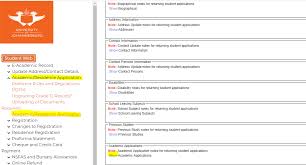
Applying to the University of Johannesburg for the 2027 academic year is simple when you know the correct document upload process. After completing your online application, you must upload all required supporting documents to avoid delays or rejection of your application.
This guide explains the exact steps to upload documents for the UJ Online Application 2027, including the official upload portal, required documents, file format rules, and troubleshooting tips.
Direct Link to Upload Documents for UJ Application 2027
Use the official UJ application portal below to upload your supporting documents:
UJ Online Application Portal – Upload Documents 2027
You can also access the international application page here:
University of Johannesburg Official Website
Documents Required for UJ Online Application 2027
Before uploading, prepare clear certified copies of the following documents:
Undergraduate Applicants
- Certified copy of your ID or passport
- Grade 11 final results
- Latest Grade 12 results (if currently in Grade 12)
- National Senior Certificate (if completed matric)
- Proof of residence (if requested)
Postgraduate Applicants
- Certified ID or passport
- Academic transcripts
- Degree certificate
- Curriculum Vitae (CV) where applicable
- Additional faculty-specific documents
International Students
International applicants may also need:
- Valid passport
- English proficiency results
- Sworn English translations of documents not in English
- Study permit documentation
UJ confirms that supporting documents can be uploaded directly on the application platform. (University of Johannesburg)
Step-by-Step Guide to Upload Documents for UJ Application 2027
Step 1: Visit the UJ Application Portal
Go to:
Step 2: Log In to Your Application Account
Use:
- Your student number/application reference
- Password created during application
Step 3: Open the Document Upload Section
After logging in:
- Navigate to “Upload Documents”
- Select the required document category
Step 4: Upload Certified Copies
Ensure every document:
- Is clearly scanned
- Is certified where required
- Is uploaded separately
Accepted formats usually include:
- JPG
- PNG
Some UJ guidance also recommends keeping files below 512KB where possible. (University Application 2027)
Step 5: Submit and Confirm
After uploading:
- Review all files
- Confirm successful upload
- Save or screenshot your confirmation page
Important UJ Document Upload Tips
Use Certified Documents
UJ commonly requires certified copies for online applications. Ensure stamps and signatures are visible after scanning. (University Application 2027)
Upload Documents Individually
Do not combine unrelated documents into one file unless instructed.
Check File Size
Large files may fail to upload. Compress PDFs if necessary.
Apply Early
UJ applications for 2027 opened on 1 April 2026 and undergraduate applications generally close on 31 October 2026. (University of Johannesburg)
What Happens After Uploading Documents?
Once uploaded:
- UJ reviews your application
- Your documents are verified
- You may receive requests for additional documents
- Admission status updates become available on the portal
Applicants should regularly monitor their email and application dashboard.
Common UJ Upload Problems and Solutions
| Problem | Solution |
|---|---|
| File not uploading | Reduce file size or convert to PDF |
| Blurry scanned copies | Rescan using higher resolution |
| Wrong document uploaded | Re-upload the correct file immediately |
| Cannot log in | Reset password through the portal |
| Missing documents notification | Upload outstanding documents before deadline |
Final Thoughts
Uploading your supporting documents correctly is one of the most important parts of the University of Johannesburg online application process for 2027. Ensure all documents are certified, readable, and submitted before the closing date.
Always use the official UJ portal for uploads and application tracking.

Conversation
0 Comments