

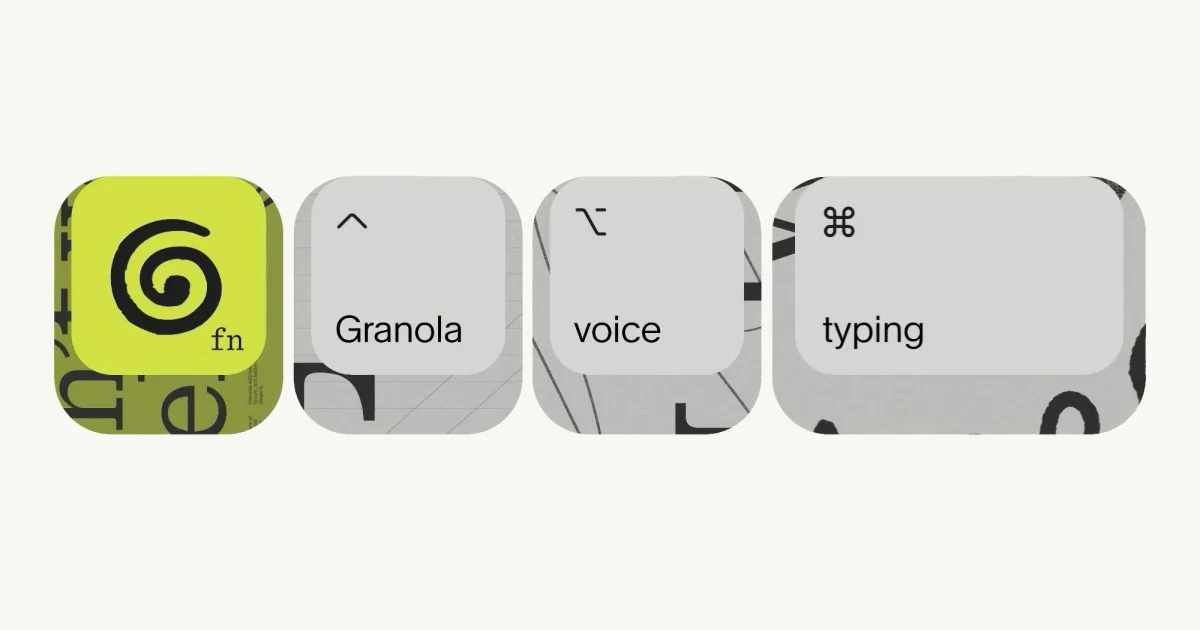
Revolutionize Your Workflow with Advanced Voice Typing Tools
In today’s fast-paced digital world, efficiency is key. Whether you’re a student taking notes, a professional drafting emails, or a creative brainstorming ideas, the ability to quickly and accurately capture your thoughts can make a significant difference. For years, typing has been the primary method for inputting text, but it can be slow and sometimes cumbersome. Fortunately, advancements in artificial intelligence have led to sophisticated voice typing tools that promise to transform how we interact with our devices. These tools allow users to dictate text, often at speeds far exceeding manual typing, and can even handle punctuation and formatting automatically.
The emergence of powerful AI-driven voice typing features means that ditching the keyboard for certain tasks is no longer a futuristic concept but a present-day reality. These technologies are designed to integrate seamlessly into your daily routine, offering a more natural and intuitive way to communicate with your computer. By speaking your thoughts, you can save time, reduce physical strain, and unlock new levels of productivity. This article will explore the capabilities of these advanced voice typing solutions, highlighting how they can streamline your workflow and enhance your overall digital experience.
Understanding the Power of Voice Typing
Voice typing, also known as speech-to-text or dictation, is a technology that converts spoken language into written text. While the concept isn’t new, recent breakthroughs in artificial intelligence, particularly in natural language processing (NLP) and machine learning, have dramatically improved its accuracy, speed, and versatility. Modern voice typing tools can understand a wide range of accents, dialects, and speaking styles, making them accessible to a broader audience.
The core advantage of voice typing lies in its speed. On average, people can speak around 150 words per minute, while the average typing speed is closer to 40 words per minute. This significant difference means that using voice typing for tasks like drafting documents, composing emails, or writing social media posts can drastically cut down the time spent on these activities. Beyond speed, voice typing offers a more ergonomic approach to text input. It can help reduce the risk of repetitive strain injuries associated with prolonged typing and is particularly beneficial for individuals with physical disabilities that make typing difficult.
Furthermore, the accuracy of these systems has reached remarkable levels. Sophisticated algorithms can distinguish between similar-sounding words, understand context to infer meaning, and even learn from user corrections to improve over time. This means fewer errors and less need for manual editing, further boosting efficiency. The ability to dictate punctuation, special characters, and formatting commands simply by speaking them adds another layer of convenience, allowing for a more fluid and uninterrupted dictation process.
Granola: A New Frontier in AI-Powered Dictation
One of the most exciting recent developments in voice typing comes from Granola, an AI notepad designed for busy professionals. While Granola initially focused on capturing and summarizing meeting notes, it has expanded its capabilities to include a powerful, free, and unlimited voice typing feature that works across any application. This innovation allows users to replace traditional typing with spoken words in virtually any digital environment.
Granola’s voice typing feature operates with remarkable simplicity. Users speak naturally, and their words appear as polished text wherever their cursor is active. The system is intelligent enough to handle punctuation, including commas and full stops, and can even manage paragraph breaks automatically. This seamless integration means that you can transition from speaking to seeing your thoughts appear on screen without interruption.
The implications of this feature are substantial. For individuals who spend a significant portion of their day in meetings, Granola already provides valuable AI-driven note-taking. Now, extending this capability to general dictation means users can leverage the same AI power to draft emails, update team messages, write reports, or even craft complex AI prompts without ever touching a keyboard. The ability to dictate at up to four times the speed of typing is a game-changer for productivity.
How Granola’s Voice Typing Works
Granola’s voice typing technology is built on advanced AI models that process spoken audio in real-time. When you activate the feature, it listens to your microphone input and uses sophisticated algorithms to transcribe your speech into text. The system is designed to be highly responsive, ensuring that your words appear on screen with minimal delay.
A key aspect of Granola’s approach is its contextual understanding. The AI doesn’t just transcribe phonemes; it analyzes the flow of your speech, the surrounding words, and the overall context to produce accurate text. This allows it to differentiate between homophones (words that sound alike but have different meanings and spellings) and to correctly interpret your intended message. For instance, it can distinguish between “there,” “their,” and “they’re” based on how they are used in a sentence.
The system also incorporates natural language processing to interpret commands for punctuation and formatting. You can simply say “period,” “comma,” “new paragraph,” or “question mark,” and Granola will insert the appropriate symbol or line break. This eliminates the need to switch between dictation and manual input for basic text structuring, making the entire process much smoother.
Where You Can Use Granola’s Voice Typing
The versatility of Granola’s voice typing feature is one of its strongest selling points. It is designed to function within any application that accepts text input, making it a universal tool for dictation. This means you can use it for a wide array of tasks:
- Email Composition: Dictate quick replies or draft entire emails directly into your email client. Granola will place the text in the draft, ready for you to review and send.
- Messaging and Collaboration: Update your team on Slack, Microsoft Teams, or other collaboration platforms by speaking your messages. This is especially useful when you need to convey information quickly before a meeting or to provide an update on the go.
- Document Creation: Write reports, articles, or any other long-form content in word processors or text editors by dictating your thoughts. This can significantly speed up the initial drafting phase.
- AI Prompt Engineering: For users who interact with AI models, crafting detailed and specific prompts can be challenging and time-consuming to type. Granola’s voice typing allows you to articulate complex prompts, provide extensive context, and include all necessary details without fatigue.
- Social Media Updates: Quickly post updates, comments, or replies on social media platforms by dictating your content.
- Note-Taking Beyond Meetings: While Granola excels at meeting notes, its general voice typing can be used for any quick notes or ideas that come to mind throughout the day, ensuring they are captured accurately and efficiently.
The fact that Granola offers this feature for free and without word limits makes it an exceptionally attractive option for individuals and teams looking to enhance their productivity without incurring additional costs.
Beyond Granola: Exploring Other Advanced Voice Typing Solutions
While Granola represents a significant advancement, the field of voice typing is rich with innovative tools, many of which are integrated into operating systems or popular applications. These solutions offer varying features and cater to different user needs, providing a broad spectrum of options for those looking to embrace dictation.
Built-in Operating System Dictation
Most modern operating systems come with integrated dictation features that are surprisingly powerful and readily accessible.
-
Windows Voice Typing: Windows 10 and Windows 11 include a built-in voice typing feature that can be activated with a simple keyboard shortcut (Windows key + H). It allows users to dictate text into any text field across the operating system. While it may not offer the same level of advanced AI processing as some dedicated applications, it is highly convenient for quick dictations and general use. It supports multiple languages and can be trained to recognize your voice more accurately over time.
-
macOS Dictation: Apple’s macOS also offers robust dictation capabilities. Users can enable “Enhanced Dictation” in their System Preferences, which allows for offline dictation and more advanced features. Like Windows, it can be activated with a keyboard shortcut (often pressing the Fn key twice). macOS Dictation is known for its good accuracy and its ability to understand commands for punctuation and formatting.
-
iOS and iPadOS Dictation: For users on Apple’s mobile devices, dictation is available directly on the keyboard. Tapping the microphone icon on the virtual keyboard allows users to speak their text into any app. This feature is particularly useful for composing messages, emails, or notes on the go.
Google’s Voice Typing and Google Docs
Google has long been a leader in AI and voice technology, and its offerings are no exception.
-
Google Docs Voice Typing: Within Google Docs, a powerful voice typing tool is available under the “Tools” menu. This feature is highly accurate and allows users to dictate entire documents. It supports numerous languages and can interpret commands for formatting, editing, and inserting special characters. Its integration within Google Docs makes it ideal for students, writers, and anyone working extensively with documents in the Google ecosystem.
-
Google Assistant Voice Commands: While not strictly for dictating long texts, Google Assistant can perform many voice-based actions that contribute to workflow efficiency. This includes setting reminders, sending quick messages, making calls, and searching for information, all of which can save time compared to manual input.
Third-Party Dictation Software and Apps
Beyond built-in options and integrated tools, a variety of third-party applications offer specialized voice typing features, often with advanced capabilities or specific use cases.
-
Dragon NaturallySpeaking (Nuance): For many years, Dragon NaturallySpeaking has been the gold standard for professional dictation software. It offers exceptional accuracy, extensive customization options, and the ability to learn a user’s specific vocabulary and speaking patterns. While it is a premium product with a significant cost, it is favored by professionals who rely heavily on dictation for their work, such as legal professionals, medical practitioners, and writers. Nuance Communications, the company behind Dragon, continues to innovate in speech recognition technology.
-
Speechnotes: Speechnotes is a popular free online dictation tool that runs in a web browser. It is known for its simplicity and effectiveness, offering real-time transcription with good accuracy. It supports multiple languages and allows users to save their dictated text easily. It’s a great option for those who need a quick and accessible dictation tool without installing any software.
-
Voice Notes (Mobile Apps): Numerous mobile applications, available on both iOS and Android, are dedicated to voice notes and dictation. These apps often provide features like cloud syncing, transcription services, and the ability to export notes in various formats. They are perfect for capturing ideas on the fly and ensuring they are transcribed accurately for later use.
Enhancing Productivity with Voice Typing Features
The adoption of voice typing tools extends beyond mere convenience; it represents a strategic shift towards more efficient and accessible ways of working. By integrating these technologies, individuals and organizations can unlock significant productivity gains and foster a more inclusive digital environment.
Speed and Efficiency Gains
As mentioned, the most immediate benefit of voice typing is the dramatic increase in input speed. Speaking is a natural human function, and our brains are wired for it. Leveraging this capability allows users to articulate ideas as quickly as they form, rather than being bottlenecked by manual typing. This speed advantage translates directly into saved time, which can be reallocated to more complex tasks, strategic thinking, or simply achieving a better work-life balance. For professionals facing tight deadlines or high volumes of written communication, this efficiency boost can be transformative.
Improved Accessibility and Inclusivity
Voice typing technology plays a crucial role in making digital tools more accessible. For individuals with physical disabilities, such as carpal tunnel syndrome, arthritis, or other conditions that impair hand or arm movement, dictation offers a viable and often preferred method of text input. It empowers them to participate more fully in digital communication and work environments. Furthermore, for people who struggle with spelling or grammar, voice typing can reduce the cognitive load associated with writing, allowing them to focus on the content of their message rather than the mechanics of composition. This inclusivity ensures that more people can contribute effectively in a digital age.
Reduced Physical Strain
The repetitive nature of typing can lead to discomfort and long-term health issues like carpal tunnel syndrome and tendonitis. Voice typing offers a welcome respite from this physical strain. By allowing users to dictate, these tools reduce the reliance on keyboard and mouse, promoting better ergonomics and potentially preventing work-related injuries. This is particularly beneficial for individuals who spend many hours a day at a computer.
Enhanced Creativity and Idea Generation
For creative professionals, writers, and anyone involved in brainstorming, voice typing can be a powerful ally. The act of speaking can sometimes unlock a more fluid and uninhibited flow of ideas compared to the more deliberate process of typing. When you can simply speak your thoughts, you are less likely to self-edit prematurely or get stuck on finding the perfect word. This can lead to more spontaneous and innovative content generation. The ability to quickly capture fleeting ideas before they are forgotten is invaluable for creative endeavors.
Streamlining Complex Tasks
Voice typing can simplify complex tasks that involve extensive data entry or detailed instructions. For instance, when interacting with AI models, crafting precise prompts can be challenging. Voice typing allows users to articulate their needs and provide context in a natural, conversational manner, leading to more effective AI interactions. Similarly, in fields like software development or data analysis, where commands or code snippets might be lengthy, dictation can speed up the process of inputting these elements.
Considerations for Effective Voice Typing
While voice typing offers numerous advantages, achieving optimal results requires understanding its capabilities and limitations, and adopting best practices.
Choosing the Right Tool
The best voice typing tool for you will depend on your specific needs. Consider factors such as:
- Accuracy: How well does the tool transcribe your speech? Does it handle accents and background noise effectively?
- Features: Does it support punctuation commands, formatting, and editing by voice? Does it integrate with other applications you use?
- Platform: Is it available on your operating system or devices (Windows, macOS, iOS, Android, web)?
- Cost: Is it free, a one-time purchase, or a subscription service?
- Offline vs. Online: Do you need to dictate without an internet connection?
For general use, built-in OS dictation or tools like Google Docs Voice Typing are excellent starting points. For professional-level accuracy and customization, dedicated software like Dragon may be worth the investment. For seamless integration across all apps with unlimited free usage, Granola presents a compelling new option.
Training and Customization
Many voice typing systems improve with use. Taking the time to train the software to recognize your voice, accent, and common phrases can significantly boost accuracy. This often involves reading a passage of text aloud. Some advanced tools also allow you to create custom vocabulary lists for specialized terms or names that the system might otherwise misinterpret.
Environment and Clarity
The effectiveness of voice typing is heavily influenced by your environment. A quiet space with minimal background noise will yield the best results. Speak clearly and at a natural pace. Avoid mumbling or speaking too quickly, as this can confuse the speech recognition software. If you are in a noisy environment, consider using a high-quality microphone or noise-canceling headphones to isolate your voice.
Punctuation and Formatting Commands
To maximize efficiency, learn the specific voice commands for punctuation and formatting. Most systems recognize spoken words like “period,” “comma,” “question mark,” “exclamation point,” “new paragraph,” “delete,” and “undo.” Mastering these commands allows you to structure your text without interrupting your dictation flow.
Review and Editing
While modern voice typing is highly accurate, it is not infallible. Always plan to review your dictated text for any errors or misinterpretations. This is especially important for critical documents or communications. The time saved by dictating is still substantial, even with a brief editing pass. Think of voice typing as a powerful drafting tool that significantly speeds up the initial creation of text.
The Future of Voice Input
The trajectory of voice technology suggests that dictation will become even more sophisticated and integrated into our daily lives. We can anticipate several key developments:
- Enhanced Contextual Understanding: AI will continue to improve its ability to understand context, nuance, and even emotion in speech, leading to more accurate and natural transcriptions. This could include better handling of sarcasm, idioms, and complex sentence structures.
- Seamless Multimodal Integration: Voice input will likely blend more seamlessly with other forms of interaction, such as touch, gesture, and eye-tracking. Imagine dictating a command and then using a gesture to refine the output.
- Personalized AI Assistants: Voice-enabled AI assistants will become more personalized, learning individual speaking patterns, preferences, and workflows to provide highly tailored assistance.
- Real-time Translation and Transcription: The ability to dictate in one language and have it instantly transcribed and translated into another will become more commonplace and accurate, breaking down communication barriers.
- Proactive Assistance: AI systems will become more proactive, anticipating user needs and offering to dictate or transcribe information before being explicitly asked, based on context and learned behavior.
As these technologies evolve, the line between speaking and writing will continue to blur, making digital interaction more intuitive and efficient than ever before. Tools like Granola are at the forefront of this evolution, demonstrating how advanced AI can be applied to everyday tasks to fundamentally change how we work and communicate.
Conclusion
The evolution of voice typing technology has transformed it from a niche accessibility tool into a mainstream productivity enhancer. With advancements in AI, dictation software now offers remarkable speed, accuracy, and versatility, allowing users to communicate with their devices more naturally and efficiently than ever before. Tools like Granola, with its free and unlimited voice typing across any application, exemplify this progress, offering a powerful way to bypass the keyboard for everyday tasks.
Whether you are drafting emails, writing reports, collaborating with a team, or crafting complex AI prompts, voice typing can significantly boost your speed and reduce physical strain. By understanding the capabilities of different tools, optimizing your dictation environment, and learning basic commands, you can harness the full potential of this technology. As voice AI continues to develop, we can expect even more seamless integration and intelligent assistance, further revolutionizing our digital workflows and making technology more accessible and intuitive for everyone. Embracing voice typing is not just about convenience; it’s about adopting a smarter, faster, and more inclusive way to interact with the digital world.



Conversation
0 Comments