

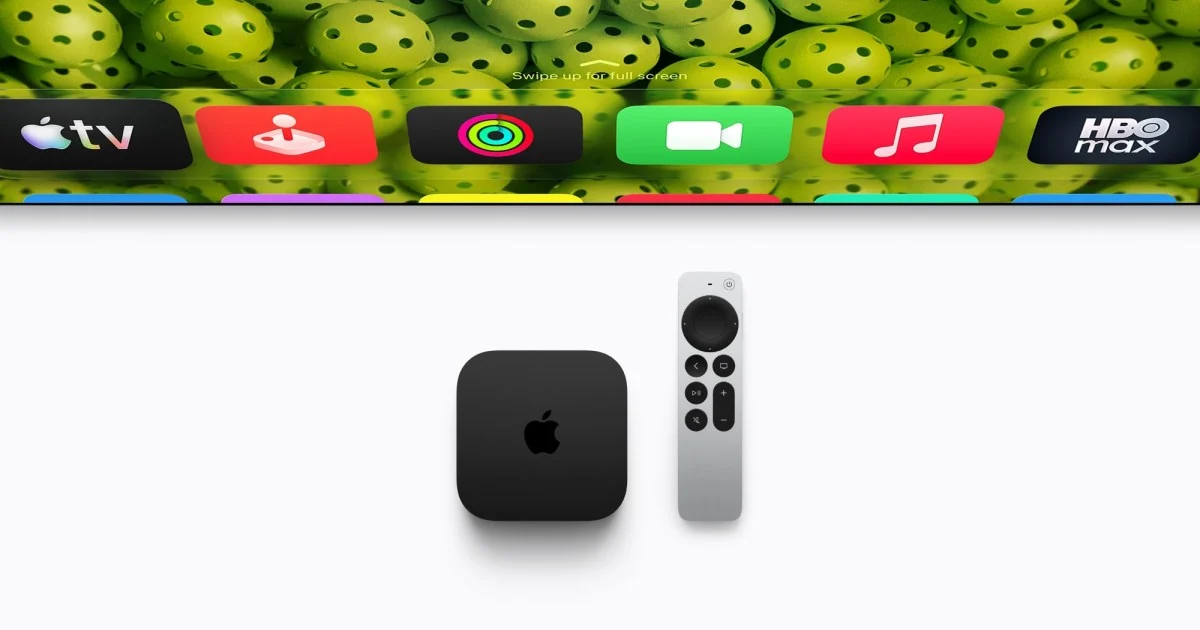
Finding Your Lost Apple TV Remote Just Got Easier with the Find My App
Losing small, essential items is a common frustration, and for many Apple TV users, the Siri Remote has been a prime culprit. It’s easy to misplace, and until recently, finding it was a cumbersome process. Fortunately, Apple has significantly improved this experience by integrating the Siri Remote into the Find My app. This update means you can now track down your missing remote using the same system you use for your AirPods, Apple Watch, or Mac. This article will guide you through how to use the Find My app to locate your Apple TV remote, explain the requirements, and highlight the benefits of this new feature.
How to Locate Your Siri Remote Using the Find My App
The process of finding a lost Siri Remote is now straightforward, thanks to the integration with the Find My app. This feature is available for Siri Remotes from the 2nd generation onward, provided you are running the latest compatible software.
To begin, open the Find My app on your iPhone or iPad. Navigate to the “Devices” tab within the app. If your Siri Remote is within range and connected, it should appear in the list of your Apple devices. Tapping on the Siri Remote will bring up its location on a map, similar to how you would track any other Apple device. This provides a clear starting point for your search.
Before this update, finding a lost remote was a less intuitive process. It involved accessing a hidden “Find” feature within the Apple TV Control Center on your iOS device. You would tap the Apple TV remote icon, select your Apple TV, and then tap “Find.” A white dot would then appear on your screen, growing larger as you moved closer to the remote. While this method worked, it was not widely known and required navigating through multiple menus, making it less effective for quick searches. The move to the dedicated Find My app streamlines this process, making it much more accessible and user-friendly.
Requirements for Using the Find My App to Locate Your Remote
To take advantage of the Find My app’s ability to locate your Siri Remote, there are a few key requirements. The most important of these is having a compatible Siri Remote and ensuring your devices are updated to the latest software versions.
The Find My app integration works with Siri Remotes from the 2nd generation onwards. This includes the remotes that come with newer Apple TV 4K models and those sold separately. If you have an older Siri Remote, it may not be compatible with this feature.
Furthermore, you need to have the latest version of iOS or iPadOS installed on your iPhone or iPad. As of iOS 27.2, the Find My app includes support for tracking the Siri Remote. It’s essential to keep your operating system updated to ensure you have access to the latest features and security enhancements. Similarly, your Apple TV should also be running a compatible tvOS version.
For users with the latest Siri Remote (4th generation), there’s an added benefit: Precision Finding. This advanced feature requires an iPhone 17 or newer. Precision Finding uses ultra-wideband technology to provide directional guidance, pointing you directly towards the remote’s exact location. It also allows your iPhone to make the remote emit a sound, further aiding in its discovery. If you have an older iPhone model, you will still benefit from the basic Find My tracking capabilities, such as seeing the remote’s last known location on a map, but you won’t have the guided search or audible alert features.
The Benefits of Finding Your Siri Remote in the Find My App
The integration of the Siri Remote into the Find My app brings several significant advantages, making the often-frustrating experience of losing a remote much more manageable.
Firstly, convenience and accessibility are greatly improved. The Find My app is a central hub for locating all your lost Apple devices. By adding the Siri Remote to this ecosystem, Apple has placed a crucial tracking tool in an application that users already frequently access. This eliminates the need to remember a separate, less intuitive method hidden within the Control Center. Whether you’ve misplaced your AirPods, your iPad, or your Apple TV remote, you can now go to one place to find them.
Secondly, the enhanced search capabilities are a major upgrade. The ability to see the remote’s last known location on a map provides a solid starting point for your search. For those with compatible hardware, Precision Finding offers an even more precise way to locate the remote, guiding you with visual cues and directional arrows. The option to make the remote emit a sound is invaluable, especially when the remote is hidden under cushions or blankets, allowing you to pinpoint its exact location by sound alone.
Thirdly, this feature works with remotes you may already own, meaning no additional purchase is required for many users. As long as you have a 2nd generation or newer Siri Remote and updated software, you can benefit from this tracking capability. This makes it a practical solution for a widespread problem without adding to the cost for existing Apple TV owners.
Finally, the peace of mind that comes with knowing you can find a lost remote is substantial. The Siri Remote is essential for navigating your Apple TV, and its absence can be a significant inconvenience. The Find My app integration reduces the stress and time spent searching, allowing you to get back to enjoying your entertainment quickly. This feature is a testament to Apple’s commitment to improving the user experience by addressing common pain points with thoughtful technological solutions.
Understanding the Siri Remote and Its Evolution
The Siri Remote has been the primary way to interact with Apple TV since its introduction. Over the years, Apple has refined its design and functionality, culminating in the current models that offer advanced features like Find My integration and Precision Finding. Understanding the evolution of the Siri Remote helps to appreciate the advancements made in its usability and trackability.
The original Siri Remote, introduced with the Apple TV 4K (1st generation), featured a glass touch surface for navigation. While sleek, it was also prone to accidental touches and could be challenging to use precisely. It was a significant departure from previous Apple TV remotes, which relied on more traditional button layouts.
The 2nd generation Siri Remote, released with the Apple TV 4K (2nd generation), brought several key improvements. It adopted a more traditional clickpad design with a touch-sensitive surface, offering better tactile feedback and more precise control. This generation also saw the introduction of a dedicated Siri button on the side, similar to the iPhone’s design. Crucially, this is the generation that began the groundwork for Find My integration, though the full capabilities were not yet realized.
The 3rd generation Siri Remote, which came with the Apple TV 4K (3rd generation), maintained the design of the 2nd generation but introduced a new color option (black) for the higher-end models. Functionally, it remained very similar to its predecessor.
The most recent iteration, the 4th generation Siri Remote, represents a significant leap forward, particularly in its integration with the Find My network. This remote is built with Precision Finding capabilities, utilizing ultra-wideband technology to offer highly accurate directional tracking when paired with a compatible iPhone. It also features a built-in speaker that can emit a sound when triggered by the Find My app, making it easier to locate even when hidden. This remote comes bundled with the latest Apple TV 4K models and is also available for purchase separately. It is designed to work with all Apple TV 4K and Apple TV HD models, ensuring broad compatibility for users looking to upgrade their remote experience or enhance their tracking capabilities.
The move to integrate the Siri Remote into the Find My app signifies Apple’s strategy to create a more connected and seamless ecosystem. By extending the Find My network to include accessories like the remote, Apple is further solidifying its position in device tracking and management, offering users a more comprehensive solution for keeping track of their valuable Apple devices and accessories.
How Precision Finding Enhances Remote Location
Precision Finding is a groundbreaking feature that significantly elevates the experience of locating a lost Siri Remote. This technology, powered by Apple’s U1 chip found in newer iPhones and the latest Siri Remote, offers a level of accuracy that goes far beyond simple map-based tracking.
When you activate Precision Finding through the Find My app, your iPhone uses ultra-wideband (UWB) technology to communicate with the Siri Remote. UWB allows for highly precise spatial awareness, enabling your iPhone to determine the exact distance and direction of the remote. As you move around, your iPhone screen will display an arrow pointing you in the correct direction. The interface will also show you how far away the remote is, with the distance decreasing as you get closer. This guided search makes finding a hidden remote much faster and more efficient, especially in cluttered environments like a living room.
In addition to the visual guidance, Precision Finding also enables the Siri Remote to emit an audible alert. Once you are very close to the remote, you can trigger a sound from your iPhone. This beep is loud enough to be heard even if the remote is buried under blankets, cushions, or other soft furnishings. This combination of visual direction and auditory cues makes the search process remarkably effective.
It’s important to note that Precision Finding requires specific hardware. You need an iPhone 17 or newer to utilize this feature fully. Older iPhone models can still use the Find My app to locate the Siri Remote by showing its last known location on a map and triggering an audible alert if the remote is within Bluetooth range, but they will not offer the precise directional guidance. This tiered approach ensures that while newer devices offer the most advanced experience, older devices still benefit from core tracking functionalities. The introduction of Precision Finding for the Siri Remote demonstrates Apple’s ongoing commitment to enhancing user convenience through advanced technology, making the prospect of losing such a small but vital accessory far less daunting.
Troubleshooting Common Issues with Finding Your Siri Remote
While the Find My app integration has made locating a lost Siri Remote much easier, users might occasionally encounter issues. Understanding these common problems and their solutions can help ensure a smooth experience.
One of the most frequent issues is that the Siri Remote does not appear in the Find My app. This can happen for several reasons. First, ensure that the remote is indeed a 2nd generation or newer model. Older remotes will not be compatible. Second, check that your iPhone or iPad is running the latest compatible version of iOS or iPadOS (e.g., iOS 27.2 or later). Similarly, your Apple TV should be running an up-to-date version of tvOS. If the remote is not actively connected to your Apple TV or is out of Bluetooth range, it might not appear immediately. Try moving closer to your Apple TV or the remote itself. If the remote is completely out of battery, it will not be trackable.
Another common problem is that the location shown in the Find My app is inaccurate or outdated. The Find My app relies on the last known connection of the Siri Remote. If the remote was moved after its last connection, the map might show an old location. In such cases, the audible alert feature becomes critical. Try to get as close as possible to the last known location and then trigger the sound. Also, ensure your iPhone has a strong internet connection (Wi-Fi or cellular data) as this is necessary for the app to fetch updated location information.
Users might also experience issues with Precision Finding not working. As mentioned, this feature requires a compatible iPhone (iPhone 17 or newer) and the latest Siri Remote (4th generation). If you have the correct hardware, ensure that Bluetooth and Ultra Wideband are enabled on your iPhone. Sometimes, a simple restart of both your iPhone and the Siri Remote can resolve connectivity glitches. If the remote is very far away or obstructed, Precision Finding might struggle to establish a reliable connection.
Finally, if the Siri Remote does not make a sound when triggered, double-check that the volume on your iPhone is turned up. Also, confirm that the remote itself is not in an extremely low-power state or has a depleted battery. If the remote is completely dead, it will not be able to emit any sound.
By understanding these potential issues and their solutions, users can maximize the effectiveness of the Find My app and the Siri Remote’s tracking capabilities, reducing the frustration of misplaced devices.
The Future of Remote Tracking and Apple’s Ecosystem
The integration of the Siri Remote into the Find My app is a significant step in Apple’s ongoing strategy to create a more interconnected and user-friendly ecosystem. This move not only addresses a common user pain point but also reinforces the value proposition of Apple’s hardware and software integration.
Looking ahead, we can anticipate further enhancements to device tracking and management within Apple’s ecosystem. The success of the Find My network for items like AirPods, AirTags, and now the Siri Remote suggests that Apple will likely continue to expand its capabilities. This could include support for more third-party accessories or even deeper integration with other Apple products. The ongoing development of UWB technology and its application in features like Precision Finding indicates a future where locating lost items becomes even more seamless and intuitive.
Apple’s approach to device tracking is characterized by a strong emphasis on user privacy and security. The Find My network utilizes end-to-end encryption and anonymized data, ensuring that location information is only accessible to the owner. This commitment to privacy is crucial as Apple expands the reach of its tracking technologies, building user trust and encouraging wider adoption.
The evolution of the Siri Remote itself, from a simple navigation tool to a trackable device with advanced locating features, mirrors Apple’s broader trend of adding intelligence and connectivity to everyday objects. As technology becomes more integrated into our lives, the ability to easily manage and locate these devices becomes increasingly important. The Find My app serves as a central pillar in this strategy, providing a unified platform for users to keep track of their digital and physical possessions.
Ultimately, the ability to find a lost Apple TV remote using the Find My app is more than just a convenience feature; it’s a reflection of Apple’s vision for a connected future where technology works seamlessly to simplify daily life. As Apple continues to innovate, we can expect more such integrations that enhance the user experience and further solidify the interconnectedness of its product ecosystem.
Conclusion
The integration of the Siri Remote into Apple’s Find My app marks a significant improvement for Apple TV users. No longer do you have to rely on obscure Control Center features or search frantically through couch cushions without a clear strategy. With the Find My app, locating your misplaced remote is as simple as checking your iPhone or iPad. This feature, available for 2nd generation and newer Siri Remotes, offers map-based tracking and, with compatible hardware, the advanced Precision Finding capabilities that guide you directly to your remote and can even make it emit a sound. While ensuring your devices are updated and understanding the hardware requirements are key, the benefits of convenience, accessibility, and peace of mind are undeniable. This enhancement is a prime example of how Apple continues to refine its ecosystem, making everyday technology more intuitive and less frustrating to manage.



Conversation
0 Comments