


Tshwane University of Technology (TUT) Student Portal: Login, Access & Complete Guide. The Tshwane University of Technology student portal is the official online platform where students manage registration, results, fees, and academic services. If you’re studying at TUT, this portal is your central digital hub for all academic and administrative activities.
This SEO-optimized guide covers TUT student portal login, how to access it, features, and official links.
🔗 Official TUT Student Portal Links
- Main Website: https://www.tut.ac.za/
- Student Portal (ITS iEnabler): https://ienabler.tut.ac.za/pls/prodi41/w99pkg.mi_login
- Student Portal Hub: https://www.tut.ac.za/Students
- E-learning Platform (Blackboard / eTUT): https://mytutor.tut.ac.za/
📘 What Is the TUT Student Portal?
The TUT Student Portal—powered by ITS iEnabler—is an online self-service system that allows students to manage academic and administrative tasks anytime, anywhere.
At Tshwane University of Technology, students use the portal for course registration, checking results, managing fees, and accessing academic records.
📚 Key Features of the TUT Student Portal
🎓 Academic Services
- Course/module registration
- View class timetables
- Access exam schedules
- Check results and academic records
- Download proof of registration
💰 Financial Services
- View tuition fees and balances
- Track payments
- Access bursaries and financial aid
🧾 Student Administration
- Track application/admission status
- Update personal details
- Manage registration changes
- Access academic documents
💻 E-learning Platform (Blackboard / eTUT)
TUT uses Blackboard (eTUT) as its learning management system, where students can:
- Access lecture notes and materials
- Submit assignments
- Participate in discussions
- Receive updates from lecturers
✅ How to Access the TUT Student Portal
Method 1: Direct Login (Recommended)
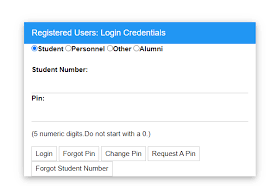
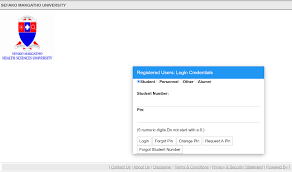
- Visit 👉 https://ienabler.tut.ac.za/pls/prodi41/w99pkg.mi_login
- Enter your:
- Student Number (Username)
- Password / PIN
- Click Login
Method 2: Via Official Website
- Go to 👉 https://www.tut.ac.za/
- Navigate to Students
- Click Student Portal / iEnabler
- Log in with your credentials
🔑 TUT Portal Login Requirements
To access the portal, you need:
- Student number
- Password or PIN
- Active TUT student account
🆕 First-Time Login (New Students)
If you’re logging in for the first time:
- Login details are provided after admission
- A default password/PIN may be assigned
- You must change your password after first login
🔄 Forgot Password or Login Issues
If you can’t log in:
- Click “Forgot PIN/Password” on the login page
- Follow the reset instructions
- Contact TUT ICT support
Quick fixes:
- Clear browser cache
- Try Chrome or Firefox
- Use a stable internet connection
⚠️ Common Problems & Solutions
🔴 Portal not opening?
- Try another browser
- Check your internet connection
📚 Modules not showing?
- Ensure registration is complete
- Wait for system updates
💳 Registration blocked?
- Check outstanding fees
- Submit required documents
📈 Why the TUT Student Portal Is Important
At Tshwane University of Technology, the portal is your academic control center. You’ll use it for:
- Course registration
- Assignment submissions
- Viewing results
- Managing finances
- Accessing study materials
Without portal access, you risk missing deadlines and important academic updates.
🧠 SEO Keywords (For Ranking)
Use these keywords to improve search visibility:
- TUT student portal login
- Tshwane University of Technology iEnabler
- TUT results checker
- TUT registration portal
- TUT Blackboard login
🔗 Quick Access Summary
- TUT Student Portal: https://ienabler.tut.ac.za/pls/prodi41/w99pkg.mi_login
- Student Hub: https://www.tut.ac.za/Students
- eTUT (Blackboard): https://mytutor.tut.ac.za/
- Main Website: https://www.tut.ac.za/
🏁 Final Thoughts
The Tshwane University of Technology student portal is essential for managing your academic journey efficiently. Make it a habit to log in regularly to stay informed, organized, and ahead in your studies.
Conversation
0 Comments