

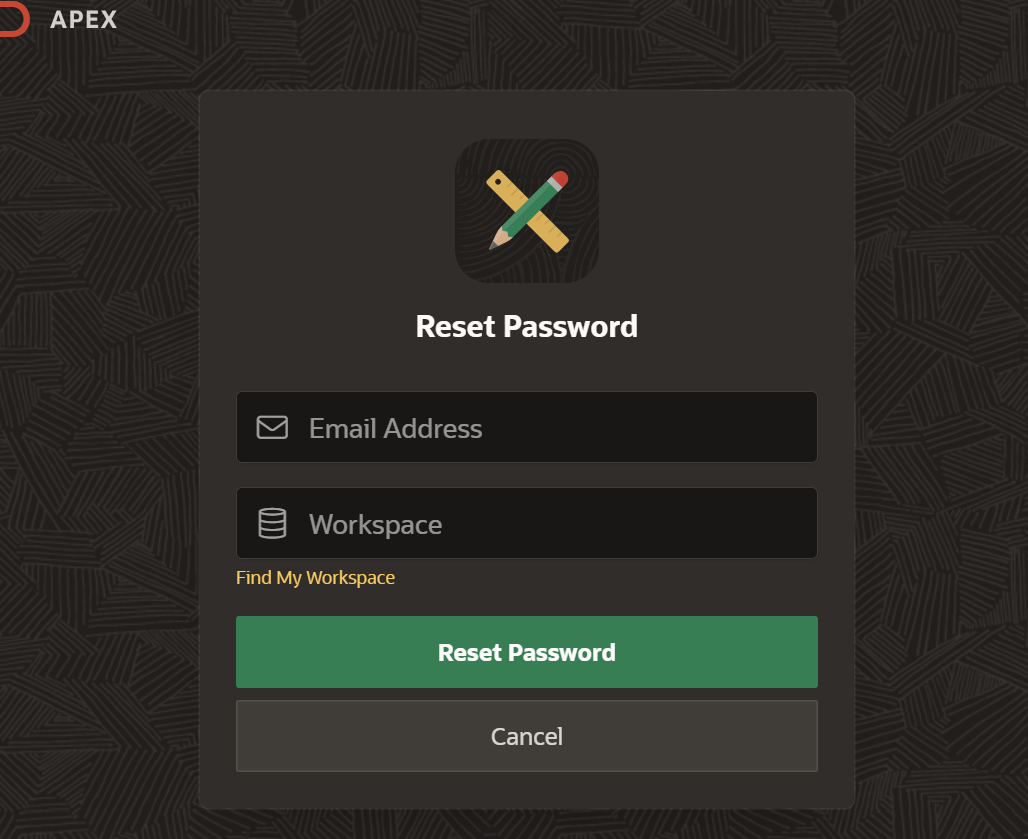
If you are planning to apply for a SASSA social grant in 2027 or want to track the progress of your application, the first step is creating a SASSA Services Portal account. Having an online account allows you to access selected SASSA services, manage your information, and monitor your application where online tracking is available.
In this guide, you’ll learn how to create a SASSA login account for 2027, the requirements, step-by-step registration instructions, and the official sign-up portal.
Important: SASSA has not announced a separate registration portal specifically for 2027 applicants. Applicants should use the official SASSA Services Portal to create an account and access available online services.
Official SASSA Sign-Up Portal
To create your SASSA account, visit the official SASSA Services Portal:
Official Registration Portal:
https://services.sassa.gov.za/portal/r/sassa/sassa/home
You can also access the registration page directly:
Create a SASSA Account:
https://services.sassa.gov.za/portal/r/sassa/sassa/register
Always use the official SASSA website to protect your personal information and avoid fraudulent websites.
What Is a SASSA Login Account?
A SASSA login account is your secure online profile on the SASSA Services Portal. It enables you to access various online services without visiting a SASSA office for every request.
With a registered account, you may be able to:
- Apply for eligible SASSA grants available online
- Update your personal details
- Upload supporting documents when requested
- Track the progress of eligible applications
- Access grant-related information
- Receive notifications regarding your application
Who Should Create a SASSA Account?
You should register if you are:
- Applying for a SASSA grant in 2027
- A first-time applicant
- Returning to complete an unfinished application
- Looking to track an eligible application online
- Updating your personal information through the SASSA portal
Requirements Before Registering
Before creating your account, make sure you have:
- A valid South African ID or recognized identification document
- A working mobile phone number
- A valid email address
- Internet access
- A secure password that you can remember
Using your own phone number and email address helps ensure you receive important notifications from SASSA.
How to Create a SASSA Login Account for 2027
Follow these simple steps to register successfully.
Step 1: Visit the Official SASSA Services Portal
Open the official website:
https://services.sassa.gov.za/portal/r/sassa/sassa/register
Step 2: Select “Register”
Click the Register or Create Account option on the homepage.
Step 3: Enter Your Personal Information
Complete the registration form by providing:
- Full name
- South African ID number
- Mobile phone number
- Email address
- Residential information (where required)
Ensure all information matches your official identification documents.
Step 4: Create a Secure Password
Choose a password that includes a combination of:
- Uppercase letters
- Lowercase letters
- Numbers
- Special characters
Avoid using easily guessed passwords such as your birth date or ID number.
Step 5: Verify Your Details
SASSA may send a verification code to your:
- Mobile phone
- Email address
Enter the verification code to activate your account.
Step 6: Complete Registration
After verification, your SASSA account will be created successfully.
You can now sign in using your:
- Username or email address
- Password
How to Log In to Your SASSA Account
After registration:
- Visit the SASSA Services Portal.
- Click Login.
- Enter your username or email address.
- Type your password.
- Select Sign In.
Once logged in, you can access the online services available for your account.
How to Track Your SASSA Grant Status
After signing in, eligible applicants may be able to monitor their application progress through the online portal where status tracking is available.
Alternatively, you can use the official SASSA status check service:
SASSA Status Check:
https://srd.sassa.gov.za/sc19/status
Note: The SRD status checker is intended for the Social Relief of Distress (SRD) grant. Other grant types may have different methods of communicating application outcomes.
Forgot Your Password?
If you cannot log in:
- Visit the login page.
- Select Forgot Password.
- Enter your registered email address or username.
- Follow the instructions sent by SASSA to reset your password.
Always keep your login details confidential.
Benefits of Creating a SASSA Online Account
Having a SASSA account offers several advantages:
- Faster access to online services
- Secure management of your personal information
- Convenient access from home
- Reduced need for office visits
- Easier document submission when requested
- Access to application updates for supported services
Tips for a Successful Registration
To avoid delays:
- Register using your own mobile number.
- Use an active email address.
- Enter your ID number correctly.
- Create a strong password.
- Keep your login credentials secure.
- Do not share your password with anyone.
Common Registration Problems and Solutions
Verification Code Not Received
- Check that your phone number and email address were entered correctly.
- Wait a few minutes and request a new verification code if necessary.
Unable to Log In
- Confirm that your username and password are correct.
- Reset your password using the Forgot Password option if needed.
Registration Error
If you experience technical issues, try again later or contact SASSA through its official support channels.
Frequently Asked Questions
Is creating a SASSA account free?
Yes. Creating a SASSA Services Portal account is completely free.
Can I create more than one account?
No. You should create only one account using your own identification details.
Can I use someone else’s phone number?
It is recommended that you use your own mobile number and email address to receive verification codes and important updates.
Is the SASSA account required for every grant?
Not all SASSA services are fully online. Depending on the type of grant, you may still be asked to visit a SASSA office or provide additional documentation.
Final Thoughts
Creating a SASSA login account is a simple but important step for anyone planning to access SASSA’s online services in 2027. Registering through the official SASSA Services Portal allows you to manage your profile, apply for eligible services online, and access available application updates.
Remember that SASSA has not introduced a separate “2027 account”—all applicants should use the existing official portal for registration and login.
Official SASSA Registration Links
- Create a SASSA Account: https://services.sassa.gov.za/portal/r/sassa/sassa/register
- SASSA Services Portal: https://services.sassa.gov.za/portal/r/sassa/sassa/home
- SRD Status Check: https://srd.sassa.gov.za/sc19/status
SEO Meta Description
Learn how to create a SASSA login account for 2027. Follow our step-by-step guide to sign up on the SASSA Services Portal, access online grant services, and track your application status securely.