

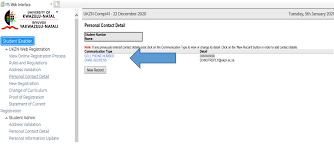
Applying to the University of KwaZulu-Natal (UKZN) for the 2027 academic year requires applicants to submit supporting documents online after completing the application process. Uploading the correct documents correctly and on time is essential for your application to be reviewed successfully.
This guide explains how to upload documents for the UKZN Online Application 2027, including the official upload link, required documents, accepted file formats, and common troubleshooting tips.
Direct Link to Upload Documents for UKZN Application 2027
Use the official UKZN application portal below to upload your supporting documents for the 2027 academic year:
Official UKZN Upload Portal
https://caesapp.ukzn.ac.za/Start.aspx
UKZN Online Application Information
Always use the official University of KwaZulu-Natal website and application system to avoid scams or unofficial portals.
Documents Required for UKZN Online Application 2027
Before starting the upload process, prepare clear scanned copies of all required documents.
Undergraduate Applicants
Typically required documents include:
- Certified copy of South African ID
- Passport copy for international applicants
- Grade 11 final results
- Latest Grade 12 results
- National Senior Certificate (if completed)
- Proof of residence if requested
Postgraduate Applicants
Postgraduate students may need:
- Certified ID or passport
- Academic transcripts
- Degree certificate
- Curriculum Vitae (CV)
- Research proposal (for certain programs)
- Professional registration documents where applicable
International Applicants
International students should also prepare:
- Valid passport
- Study permit documents
- SAQA evaluation (if required)
- English proficiency results
- Sworn English translations for non-English documents
Step-by-Step Guide to Upload Documents for UKZN Application 2027
Step 1: Visit the UKZN Application Portal
Open the official UKZN application system:
Step 2: Log In to Your Application Profile
Enter:
- Your student/application number
- Password created during registration
New applicants must first complete the online application before uploading documents.
Step 3: Access the Document Upload Section
After logging in:
- Navigate to “Upload Supporting Documents”
- Select the relevant application category
- Choose the document type you want to upload
Step 4: Upload Your Documents
Ensure your files:
- Are clear and readable
- Are certified where required
- Match the requested document category
Accepted File Formats
UKZN commonly accepts:
- JPG
- PNG
Avoid uploading blurry photos or incomplete scans.
Step 5: Submit and Verify Upload Status
After uploading:
- Review each uploaded file
- Confirm successful uploads
- Save confirmation screenshots or emails
Applicants should regularly check their application portal for updates or missing document notifications.
Important Tips for UKZN Document Uploads
Use Certified Copies
Certified documents are often required for identity and academic records. Ensure certification stamps are visible.
Label Files Properly
Use simple file names such as:
- ID_Document.pdf
- Grade11Results.pdf
- Transcript.pdf
This helps avoid confusion during verification.
Compress Large Files
If uploads fail:
- Reduce PDF size
- Compress images
- Avoid unnecessarily high-resolution scans
Apply Before the Deadline
Submitting documents early helps avoid portal congestion and late submission issues.
Common UKZN Upload Problems and Solutions
| Problem | Solution |
|---|---|
| Upload button not working | Refresh browser or try another browser |
| File too large | Compress PDF or image |
| Wrong document uploaded | Re-upload correct document immediately |
| Login issues | Reset password on the portal |
| Documents marked missing | Verify upload completion and resubmit if needed |
How to Check UKZN Application Status
After uploading your documents, you can monitor your application status through the UKZN application portal.
Applicants may receive:
- Confirmation emails
- Requests for additional documents
- Admission decisions
- Faculty communication updates
Regularly checking your portal ensures you do not miss important notifications.
Final Thoughts
Uploading your supporting documents correctly is a critical part of the UKZN Online Application 2027 process. Ensure all files are certified, readable, and uploaded before the application closing date.
Using the official UKZN portal helps ensure your application is processed smoothly and securely.
Official UKZN Links
- UKZN Application Portal: https://caesapp.ukzn.ac.za/Start.aspx
- UKZN Official Website: https://www.ukzn.ac.za/
Conversation
0 Comments