

University of the Free State (UFS) Student Portal Guide – The University of the Free State student portal—often called UFS Self-Service or Student Portal—is the official online system where students manage academic, financial, and administrative activities. It’s a key platform you’ll use throughout your studies.
🎓 Official UFS Student Portal Links
- Main Website: https://www.ufs.ac.za/
- Student Portal Login: https://www.ufs.ac.za/kovsielife/login-page
- Self-Service Portal: https://selfservice.ufs.ac.za
What Is the UFS Student Portal?
The UFS student portal is an online system designed for both new and returning students to perform academic activities easily.
It allows students to:
- Register for courses
- Check admission and application status
- View academic records and results
- Access study materials and timetables
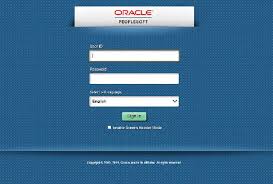
The system is powered by platforms like PeopleSoft (Oracle Self-Service), which helps manage student data and academic processes.
What You Can Do on the UFS Portal
📚 Academic Services
- Register and manage modules
- View class and exam timetables
- Access results and academic records
- Download proof of registration
💰 Financial Services
- Check tuition fees and balances
- View payment history
- Access financial aid information
🧾 Student Administration
- Track application/admission status
- Update personal details
- Request academic documents
🏫 Campus & Learning Resources
- Access UFS Blackboard (eLearn)
- Use student email (UFS4Life)
- Access library and research tools
- Manage accommodation and campus services
How to Access the UFS Student Portal
Follow these steps:
Method 1: Via Main Website
- Go to 👉 https://www.ufs.ac.za/
- Click on Student Self-Service / Portal
- You’ll be redirected to the login page
- Enter:
- Student Number (Username)
- Password/PIN
- Click Login
Method 2: Direct Login
- Visit 👉 https://selfservice.ufs.ac.za
- Enter your:
- Student number
- Password
- Click Sign In
This portal is accessible 24/7 from any device with internet access.
Login Requirements
To access the portal, you need:
- Student number
- Password (created during registration)
- Active student account
Forgot Password or Login Issues
If you can’t log in:
- Use the “Forgot Password” or Password Management option
- Follow prompts to reset via email or SMS
- Contact UFS IT support if needed
Important Tips for New UFS Students
- Always use official UFS links to avoid phishing
- Keep your login details secure
- Check your portal regularly for updates
- Complete registration early for full access
Common Problems & Solutions
🔴 Portal not loading?
- Clear browser cache
- Try Chrome or Firefox
📚 Courses not visible?
- Ensure registration is completed
- Wait for system updates
💳 Registration blocked?
- Check for unpaid fees or missing documents
Why the UFS Portal Is Important
The portal is your academic control center. You’ll use it for:
- Course registration
- Accessing learning materials
- Submitting assignments
- Viewing results
- Paying fees
Without it, you may miss deadlines and important updates.
🔗 Quick Access Summary
- Student Portal: https://www.ufs.ac.za/kovsielife/login-page
- Self-Service Login: https://selfservice.ufs.ac.za
- Main Website: https://www.ufs.ac.za/
Final Thoughts
If you’re studying at University of the Free State, make it a habit to log into your student portal daily. It keeps you organized, informed, and in control of your academic journey.
Conversation
0 Comments