

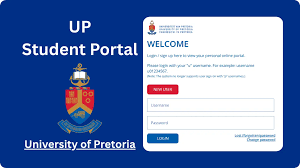
University of Pretoria (UP) Student Portal Guide:- The University of Pretoria student portal is your all-in-one digital platform for managing academics, registration, finances, and campus services. Whether you’re a new applicant or a returning student, this portal is essential for your university experience.
🎓 Official University of Pretoria Student Links
- Main Website: https://www.up.ac.za/
- Student Portal (myUP Portal): https://my.up.ac.za/
- Student Portal Info Page: https://www.up.ac.za/students
- Learning Platform (ClickUP): https://clickup.up.ac.za/
What You Can Do on the UP Student Portal
📚 Academic Services
- Register for modules and courses
- View class timetable
- Access academic records and results
- Check exam schedules
- Download proof of registration
UP uses ClickUP, its official learning management system, where students:
- Access lecture materials and notes
- Submit assignments online
- Participate in discussions
- Receive updates from lecturers
💰 Financial Services
- View tuition fees and balances
- Download fee statements
- Make payments
- Track bursaries and scholarships
🧾 Student Administration
- Update personal information
- Track your application/admission status
- Request academic transcripts
- Manage course changes
🏫 Campus Resources
- Library access and research databases
- Student accommodation services
- Health and wellness support
- Sports and student organizations
How to Access the University of Pretoria Student Portal
Follow these steps:
- Visit the official portal:
https://my.up.ac.za/ - Click Login
- Enter your details:
- Student Number / Username
- Password
- Click Sign In to access your dashboard
How to Access ClickUP (Learning System)
- Go to: https://clickup.up.ac.za/
- Log in using:
- UP username (e.g., [email protected])
- Password
Forgot Your Password?
If you can’t log in:
- Use the password reset option on the login page
- Contact UP IT Helpdesk
- Ensure your account has been activated after registration
Important Tips for New UP Students
- Always use official UP websites to log in
- Check your portal frequently for updates and deadlines
- Activate your UP student email—it’s the official communication channel
- Register early to gain full access to systems
Common Problems & Solutions
🔴 Cannot log in?
- Confirm your login details
- Reset your password
- Try a different browser (Chrome recommended)
📚 Courses not showing?
- Ensure you’ve completed registration
- Wait for faculty activation
💳 Registration blocked?
- Check outstanding fees or required documents
Why the UP Student Portal Is Important
The portal is your academic control center. You will use it for:
- Registration
- Course access
- Assignment submissions
- Fee payments
- Viewing results
- Receiving university announcements
Without it, you risk missing important deadlines and updates.
🔗 Quick Access Summary
- myUP Portal: https://my.up.ac.za/
- Student Hub: https://www.up.ac.za/students
- ClickUP LMS: https://clickup.up.ac.za/
Final Thoughts
If you’re studying at University of Pretoria, make the student portal part of your daily routine. It keeps you connected, organized, and informed throughout your academic journey.
Conversation
0 Comments