

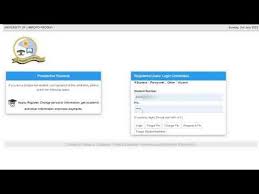
The University of Limpopo (UL) online application portal allows prospective students to apply for admission, register an applicant account, and upload supporting documents for the 2027 academic year. Uploading the correct documents is an important step because incomplete applications may not be considered for admission.
This guide explains how to register on the UL application portal, upload documents successfully, and track your application online.
Direct Link to University of Limpopo Online Application Portal 2027
Applicants can access the official University of Limpopo online application portal here:
University of Limpopo Online Application Portal 2027
Direct application login portal:
Official University of Limpopo website:
University of Limpopo Official Website
University of Limpopo Online Application 2027 Registration Process
Before uploading documents, applicants must first register an online applicant profile.
Step 1: Visit the Official UL Website
Go to the official University of Limpopo application page:
Apply to University of Limpopo
Applications for the 2027 academic year are expected to open during April 2026.
Step 2: Register Your Applicant Account
To create your account, you will need:
- Full names and surname
- Valid email address
- South African ID number or passport number
- Mobile phone number
- Secure password
Your email address will be used for future communication regarding your application.
Step 3: Verify Your Email Address
After registration:
- Open your email inbox
- Click the verification link
- Log into your applicant dashboard
You can then continue with your online application.
Documents Required for University of Limpopo Application 2027
Applicants should prepare clear scanned copies of all supporting documents before uploading.
Required Documents for Undergraduate Applicants
Most undergraduate applicants will need:
- Certified copy of South African ID or passport
- Final Grade 11 results
- Grade 12 June or Trial examination results
- National Senior Certificate (NSC) if completed
- Proof of residence if requested
- Academic transcripts for transfer students
- Proof of payment where applicable
Additional Documents for International Applicants
International students may also need:
- Passport copy
- Study permit documents
- SAQA evaluation certificate
- English proficiency test results
- Certified academic records
Always check faculty-specific admission requirements because some programmes may require additional supporting documents.
How to Upload Documents on University of Limpopo Online Application Portal 2027
Follow these steps to upload your documents successfully.
Step 1: Log Into the UL Applicant Portal
Access the official login page here:
Use your registered email address and password to sign in.
Step 2: Complete the Online Application Form
Fill in all required information including:
- Personal details
- Academic history
- Programme choices
- Contact details
- School information
Ensure that all details match your official documents exactly.
Step 3: Navigate to the Document Upload Section
After completing your application form:
- Open the “Upload Documents” section
- Select the correct document category
- Upload each document individually
Step 4: Upload Your Supporting Documents
Accepted file formats generally include:
- JPG
- PNG
Important Upload Tips
- Ensure documents are clear and readable
- Avoid blurry scans or cropped photos
- Upload certified copies where required
- Keep file sizes manageable
- Use proper file names for easier identification
Unreadable or incomplete documents may delay your application.
Step 5: Review and Submit Your Application
Before submitting:
- Double-check all uploaded documents
- Ensure every required file is attached
- Review your application carefully
Once satisfied, submit your application online.
You should receive confirmation after successful submission.
University of Limpopo 2027 Application Opening and Closing Dates
University of Limpopo applications for 2027 are expected to open in April 2026.
Most undergraduate programme applications usually close on 30 September 2026, although some programmes may close earlier.
Applicants are encouraged to apply early to avoid delays during peak application periods.
Common Problems When Uploading Documents on UL Portal
Upload Button Not Working
Try the following:
- Refresh your browser
- Clear browser cache
- Use another browser
- Switch to a laptop or desktop device
File Too Large
Compress PDF files or reduce image sizes before uploading.
Unsupported File Format
Convert documents to PDF, JPG, or PNG before uploading.
Missing Document Notification
Log back into your application portal and upload outstanding documents immediately.
How to Check University of Limpopo Application Status
After submitting your application, you can:
- Track your application progress
- Upload missing documents
- View application updates
- Download application details
Login portal:
Frequently Asked Questions (FAQs)
Can I upload documents after submitting my UL application?
Yes. Applicants can often log back into the portal to upload outstanding documents before the application deadline.
Does University of Limpopo accept emailed documents?
UL mainly requires supporting documents to be uploaded through the official online application portal.
Can I apply using my smartphone?
Yes. The UL online application portal works on smartphones, tablets, and desktop computers.
What happens if I upload the wrong document?
You should log back into your application profile and replace the incorrect document if editing is still available.
Final Thoughts
The University of Limpopo (UL) online application portal for 2027 makes it easy for students to register, apply online, and upload supporting documents securely. Applicants should ensure that all documents are clear, complete, and uploaded before the closing date to avoid delays in processing.
Start your University of Limpopo online application here:
University of Limpopo Online Application Portal 2027
Official UL website:
Conversation
0 Comments