

Uploading supporting documents is an essential part of completing your application and registration at the University of Fort Hare (UFH) for the 2027 academic year. Applications submitted without the required documents may remain incomplete or delayed during processing. (Fort Hare University)
This guide explains the complete process for uploading supporting documents on the UFH online application portal for 2027 registration.
Direct Link to Upload UFH Supporting Documents
Applicants can access the official UFH online application portal using the link below:
You can also access the UFH student portal here:
University of Fort Hare Official Website
About the University of Fort Hare (UFH)
The University of Fort Hare is one of South Africa’s oldest and most respected universities, offering undergraduate and postgraduate programmes across multiple faculties including Education, Law, Science and Agriculture, Management and Commerce, and Social Sciences. (Fort Hare University)
Applications for the 2027 academic year opened in May 2026, and applicants are encouraged to submit all supporting documents early. (Fort Hare University)
Documents Required for UFH 2027 Registration
Before starting the upload process, prepare certified and clearly scanned copies of the following documents:
- Certified copy of your South African ID or passport
- Proof of payment for the application fee
- Certified Grade 12 results or National Senior Certificate
- Grade 11 final results (for current matric learners)
- Academic transcripts and certificates
- Signed guardian consent form (if under 18 years old)
- SAQA evaluation certificate for international qualifications
- Proof of residence (if requested)
UFH requires all compulsory documents to be uploaded as separate PDF attachments. (Fort Hare University)
Step-by-Step Guide to Upload Supporting Documents on the UFH Portal
Step 1: Visit the UFH Online Application Portal
Open the official UFH portal below:
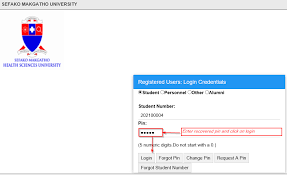
Step 2: Login to Your Student Account
Use your:
- Student number or application number
- Password or PIN
Applicants create login credentials during the online application process. (UFH TLC)
Step 3: Navigate to “Upload Documents”
After logging in:
- Scroll through the student/application menu
- Select Upload Documents
- Open the document upload section
Applicants with missing files may also see an “Outstanding Documents” notification on their portal. (BeraPortal)
Step 4: Upload Your Supporting Documents
To upload documents successfully:
- Click Choose File or Browse
- Select the correct document from your device
- Upload documents individually if required
- Ensure all files are clearly scanned and readable
Accepted file formats commonly include:
- JPG
- PNG
UFH recommends uploading documents as separate PDF attachments for easier processing. (Fort Hare University)
Step 5: Submit and Confirm Upload
Once all documents are uploaded:
- Click Submit
- Wait for the upload confirmation message
- Verify that all uploaded files appear successfully on the portal
Always save copies of your uploaded documents and confirmation messages for future reference.
Important Tips for Successful UFH Document Upload
To avoid delays during the 2027 registration process:
- Use certified copies only
- Ensure documents are not blurry
- Keep file sizes small
- Rename files properly before uploading
- Use a stable internet connection
- Upload all documents before the closing date
Incomplete applications may not be processed by the admissions office. (Fort Hare University)
UFH 2027 Application Closing Dates
According to the official UFH application page:
- Undergraduate applications close on 31 October 2026
- Honours and Masters applications close on 31 October 2026
- PhD applications close on 31 March 2027
Applicants are encouraged to apply early to avoid last-minute technical issues. (Fort Hare University)
What Happens After Uploading Documents?
After uploading your supporting documents:
- UFH reviews your application
- Outstanding document notifications may disappear
- Your application status may be updated
- Successful applicants may receive admission or registration instructions
Applicants should regularly monitor the UFH portal and email for updates. (UFH TLC)
UFH Contact Details
If you experience problems uploading supporting documents, contact the University of Fort Hare admissions office directly:
- Email: [email protected]
- Phone: +27 40 602 2011
Official website:
University of Fort Hare Official Website
Conclusion
Uploading supporting documents on the University of Fort Hare (UFH) portal is an important step in completing your 2027 registration and online application process. Ensure that all required documents are certified, clear, and uploaded correctly before the application deadline.
Using the official UFH online portal correctly will help ensure your application is processed smoothly and successfully.
Conversation
0 Comments