

Gemini’s Social Avatars: A New Era of AI Collaboration
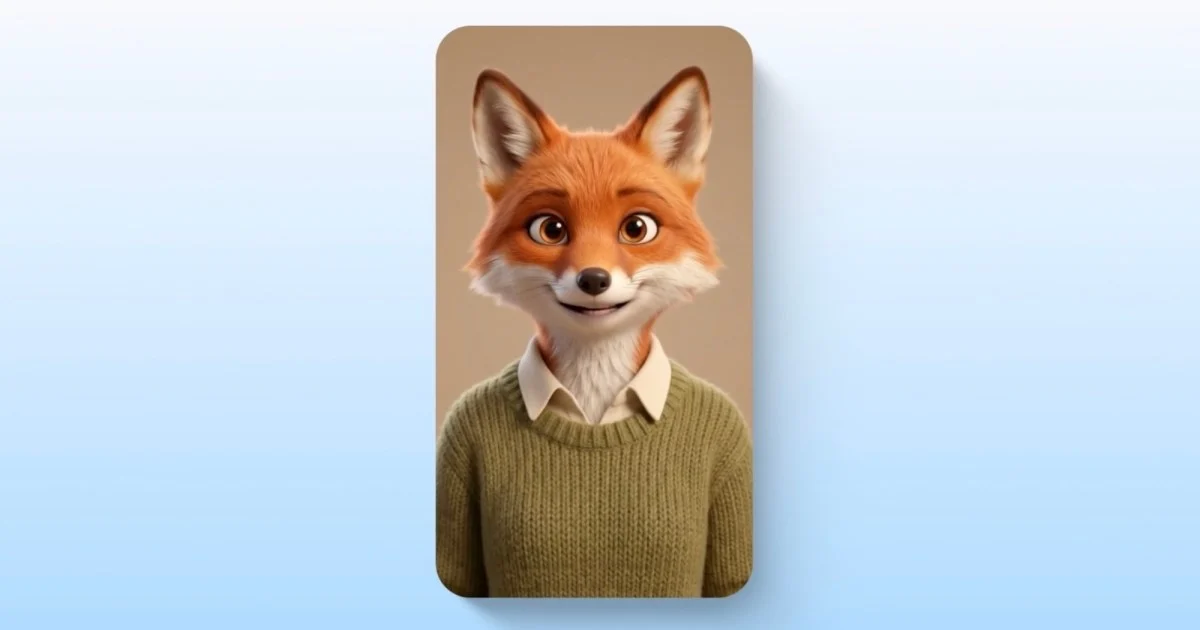
The landscape of digital interaction is rapidly changing, and artificial intelligence is at the forefront of this transformation. Google’s Gemini is pushing the boundaries further by introducing social capabilities to its personal AI avatars. This innovation allows users to create and share their digital likeness, enabling them to appear alongside friends in AI-generated images and videos. This development marks a significant step towards more collaborative and personalized AI experiences, moving beyond individual use to shared creative endeavors.
The ability to share your avatar means you can tag friends in prompts, ensuring that everyone’s digital representation is consistent in character and voice across various AI-generated content. This feature offers a novel way for friends to interact and create together, even when physically apart. Google emphasizes user control, allowing individuals to add or remove access to their avatars at any time, ensuring privacy and security remain paramount. This article will explore how to create and share these Gemini avatars, the implications of this technology, and what it means for the future of digital collaboration.
Creating Your Gemini Avatar: A Step-by-Step Guide
The process of creating a personal AI avatar in Gemini is designed to be straightforward, requiring users to provide recordings of their face and voice. This data serves as the foundation for the AI to accurately recreate your appearance and vocal patterns in generated content. By following a few simple steps, you can bring your digital self to life within the Gemini platform.
To begin, navigate to Gemini at gemini.google.com. Once there, locate the text box at the bottom of the interface. Click on “Add Files,” then select “More,” and finally choose the “Avatar” option. A QR code will appear, which you should scan using your smartphone. This action will initiate a guided process on your phone to record a short video of your face while you speak. Gemini requires both visual and auditory data to construct a convincing avatar.
For optimal results, it is recommended to record in a quiet environment with consistent, eye-level lighting. Avoid lighting that is too harsh or too dim. It’s also important to refrain from wearing sunglasses, hats, or any accessories that obscure your face during the recording. Once the recording is complete, return to your computer and select the option to use your avatar. This action finalizes the setup, and your personal AI avatar is ready to be used.
Sharing Your Gemini Avatar with Friends
Once your avatar is created, the next step is to share it with friends, allowing for collaborative content creation. This sharing feature is managed through Gemini’s settings, providing a controlled environment for who can include your avatar in their AI-generated projects. The process is designed with user consent and control at its core.
To share your avatar, you need to access the “Settings” within Gemini. From there, navigate to the “Avatar” section. Here, you will find an option to enter the Gmail address of the person with whom you wish to share your avatar. After you enter their email, the recipient will receive an invitation. They will then have the choice to accept or decline your invitation to use your avatar in their creations.
Google has implemented robust controls for this feature. You retain complete authority over who has access to your avatar. You can grant or revoke access at any point, ensuring that your digital likeness is only used with your explicit permission. This level of control is essential for maintaining privacy and trust in AI-driven social features.
How to Tag Friends in Prompts for Collaborative Content
The true power of social avatars in Gemini lies in the ability to tag friends directly within prompts, creating shared experiences in AI-generated content. This feature transforms AI generation from a solitary activity into a group effort, where multiple users’ digital representations can coexist and interact within the same AI-created scene. It opens up new avenues for creative expression and social interaction.
After you have created your avatar and shared it with friends, or had them share theirs with you, you can begin tagging them in your prompts. To do this, you simply type “@” followed by your friend’s Google username within the prompt text box. For example, if your friend’s username is “[email protected],” you would type “@friend.” The system recognizes these tags and incorporates the corresponding avatars into the generated image or video.
This tagging mechanism ensures that the AI understands which digital likenesses to include and how to represent them. It allows for the creation of images and videos where you and your friends appear together, engaging in activities or scenarios you define in the prompt. This is particularly useful for generating fun, personalized content, creating virtual group photos, or even developing short animated stories featuring your social circle. The consistency in character and voice mentioned by Google is maintained, making the generated content feel more cohesive and believable.
Understanding the Requirements and Limitations
While the social avatar feature in Gemini is exciting, it comes with specific requirements and limitations that users should be aware of. These guidelines ensure that the feature is used responsibly and by eligible individuals. Understanding these parameters will help users get the most out of the experience and avoid potential issues.
Firstly, to use this feature, you must be at least 18 years old. This age restriction is common for many advanced AI and online services, ensuring that users are of legal age to consent to the use of their personal data and digital likeness. Secondly, you must have a personal Google account. The feature is tied to your Google identity, which is used for authentication and managing your avatar data.
Currently, the social avatar feature primarily supports the English language. This means that prompts and interactions related to avatar creation and sharing will function best when conducted in English. Furthermore, the feature is not available in all geographical regions. Specifically, it is not accessible in the European Economic Area, Switzerland, or the United Kingdom. These regional restrictions are often due to varying data privacy regulations and compliance requirements in those areas. Google is likely working to expand availability and language support in the future.
The Technology Behind Gemini’s Social Avatars
The creation and social sharing of Gemini avatars are powered by sophisticated artificial intelligence and machine learning technologies. At its core, the system uses advanced algorithms to analyze facial features, voice patterns, and user interactions to generate a digital replica that is both visually and audibly accurate. This allows for a high degree of personalization and realism in the AI-generated content.
The process begins with the user’s recordings. When you record your face and voice, Gemini’s AI models process this data. For the visual aspect, deep learning techniques are employed to map your facial structure, expressions, and skin tone. This creates a 3D model that can be animated. Simultaneously, voice recordings are analyzed to capture your unique vocal characteristics, including pitch, tone, and cadence. This enables the AI to generate speech that sounds like you.
When you tag friends in a prompt, Gemini’s AI orchestrates the integration of multiple avatars into a single scene. It needs to ensure that each avatar is rendered correctly, maintains its character and voice consistency, and interacts realistically within the generated environment. This involves complex scene composition and rendering algorithms. The AI also manages the consistency of these avatars across different generated outputs, meaning your avatar should look and sound like you whether it’s in an image or a video, and whether it’s generated today or next week. This persistent digital identity is a key aspect of the feature.
Implications for Digital Collaboration and Creativity
The introduction of social avatars in Gemini has profound implications for how we collaborate and create in the digital space. It blurs the lines between individual AI use and shared digital experiences, fostering new forms of social interaction and creative expression. This technology has the potential to reshape how we connect with friends and family online.
One of the most immediate impacts is on creative projects. Imagine friends collaborating on a short animated film, with each person contributing their avatar to play a character. Or consider creating personalized digital greeting cards where you and your friends appear together, wishing someone well. This makes digital content creation more accessible and engaging for a wider audience, removing the need for advanced animation or video editing skills.
Furthermore, this feature can enhance social connections. In an increasingly digital world, maintaining close relationships can be challenging. Gemini’s social avatars offer a novel way for friends and family to interact, share experiences, and create memories together, even when they are geographically distant. It provides a more immersive and personal way to connect than traditional text-based communication or even video calls.
The technology also opens doors for educational and professional applications. Teams could use avatars to create training videos or present project ideas in a more engaging format. Students could collaborate on virtual presentations, with each student’s avatar representing them. The potential for personalized learning experiences, where AI tutors can interact with students using avatars that resemble familiar figures, is also significant.
Privacy and Control: Google’s Approach
Google has placed a strong emphasis on privacy and user control with the Gemini social avatar feature. Recognizing that digital likeness is a sensitive aspect of personal identity, the company has implemented several measures to ensure users feel secure and in command of their data. This approach is crucial for building trust in AI technologies that involve personal representation.
As mentioned earlier, users have explicit control over who can access their avatars. Sharing is not automatic; it requires a deliberate action to invite specific individuals via their Gmail address. The recipient must then accept the invitation. This consent-based model ensures that no one can use your avatar without your permission.
Moreover, Google has made it clear that users can revoke access at any time. If you decide you no longer want a particular friend to use your avatar, you can simply go into the settings and remove their access. This provides a dynamic and ongoing level of control, allowing users to manage their digital presence flexibly.
The age restriction (18+) and the requirement for a personal Google account also contribute to the security framework. These measures help ensure that the feature is used by individuals who can legally consent to its terms and understand the implications of sharing their digital likeness. Google’s commitment to transparency, as evidenced by their support documentation, further empowers users to understand how their data is being used and protected.
The Future of AI-Generated Social Experiences
The social avatar feature in Gemini is more than just a new tool; it’s a glimpse into the future of AI-generated social experiences. As AI technology continues to advance, we can expect even more sophisticated and integrated ways for humans and AI to interact, collaborate, and create together. This evolution points towards a digital world that is more personalized, interactive, and socially connected.
We might see AI avatars becoming more sophisticated, capable of not only mimicking appearance and voice but also understanding and expressing a wider range of emotions and nuances in communication. This could lead to AI companions that feel more lifelike and engaging. The integration of avatars into virtual reality and augmented reality environments is another likely development, creating truly immersive social spaces where digital and physical realities merge.
The ability to create and share personalized digital identities will likely become more commonplace. This could extend beyond simple avatars to include fully customizable digital personas that can represent users across various online platforms and applications. The concept of a “digital twin” or a persistent digital self could become a reality for many.
Furthermore, the collaborative potential of AI will continue to expand. We may see AI tools that can seamlessly integrate the contributions of multiple users, facilitating complex group projects, creative endeavors, and even collective problem-solving. The line between human creativity and AI assistance will become increasingly blurred, leading to unprecedented levels of innovation and expression.
Conclusion
Google’s Gemini social avatars represent a significant leap forward in making AI more personal and collaborative. By allowing users to create and share their digital likeness, Gemini is opening up new avenues for creative expression, social interaction, and shared digital experiences. The ability to tag friends in prompts and maintain character consistency transforms AI generation into a group activity, fostering connection and fun.
While the feature comes with specific age and regional limitations, its core functionality emphasizes user control and privacy. Google’s commitment to allowing users to manage access to their avatars ensures a secure and trustworthy experience. As AI technology continues to evolve, Gemini’s social avatars offer a compelling preview of a future where digital collaboration and personalized AI interactions become increasingly integrated into our daily lives, making the digital world a more dynamic and connected space for everyone.



Conversation
0 Comments