

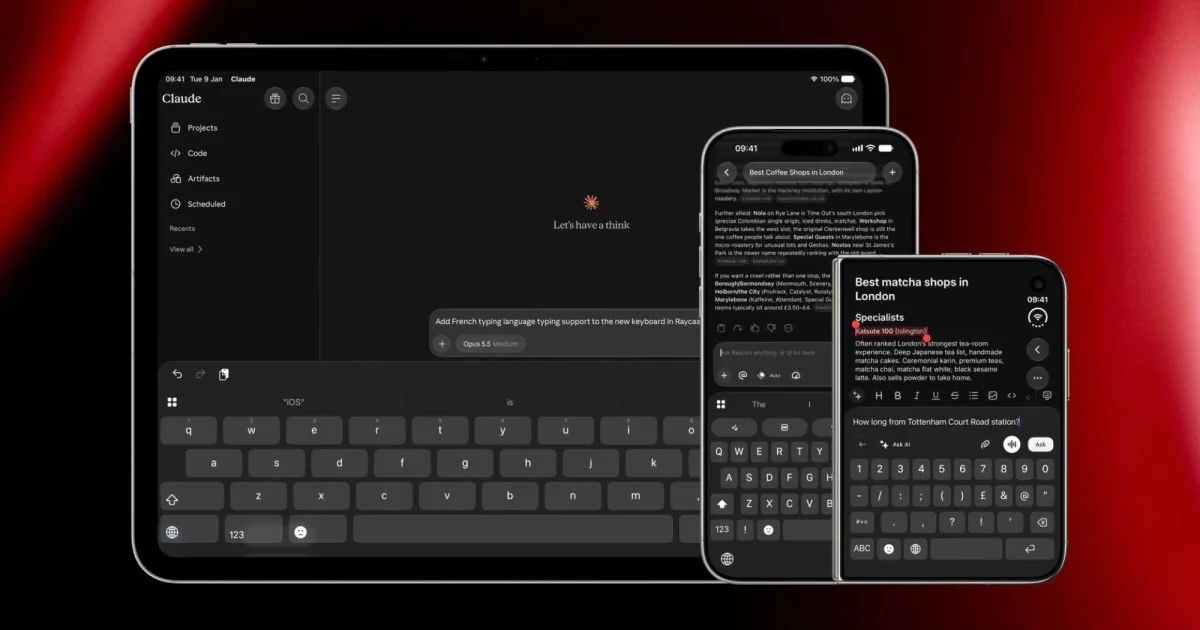
Raycast’s New iOS Keyboard: A Smarter Way to Type on Your iPhone
Typing on a smartphone can sometimes feel like a chore. You tap out messages, switch apps for quick information, and often find yourself wishing your keyboard could do more. Raycast, known for its powerful productivity tools on Mac, has introduced a new primary keyboard for iOS that aims to transform this experience. This innovative keyboard integrates everyday typing functions with advanced features like AI commands, dictation, and text shortcuts, all without the need to switch away from your current app.
The goal of Raycast’s new iOS keyboard is to bring the efficiency of its desktop application to your iPhone. Instead of being a separate tool you have to access, it becomes your main typing interface. This means you can dictate messages, use swipe typing with autocorrect, expand snippets of text, and even access AI-powered commands directly from your keyboard. This approach promises to save time and reduce the friction often associated with mobile productivity.
This article will explore what Raycast’s new iOS keyboard offers, how it compares to the native iPhone keyboard, and what its current limitations are. We’ll also look at how this development could change the way you interact with your iPhone for daily tasks and more complex workflows.
What Raycast’s New iOS Keyboard Brings to the Table
Raycast’s new primary keyboard for iOS is designed to be a significant upgrade over standard mobile typing experiences. It combines familiar typing methods with a suite of powerful tools that can be accessed instantly. This integration means users can enhance their productivity without disrupting their workflow.
Seamless Integration and Enhanced Typing
The most significant change with the new Raycast keyboard is its ability to act as a primary input method. Unlike its previous companion keyboard, which required users to switch to access its features, this new version matches the native iPhone keyboard experience. This means you get full swipe typing and autocorrect capabilities, making everyday text input as smooth as you’re used to. The autocorrect and predictive text features are designed to be intelligent, learning your typing habits to offer more accurate suggestions over time.
Advanced Dictation and AI Commands
Raycast brings its powerful dictation features from Mac to your iPhone keyboard. You can dictate messages, notes, or any text field with accuracy, and the styles are pulled directly from your Mac’s settings, ensuring consistency. Beyond simple dictation, the keyboard integrates AI commands. This allows you to perform actions like summarizing text, rephrasing sentences, or generating ideas directly from your keyboard. These commands can be customized and accessed through an action row, making them readily available for use in any app.
Snippet Expansion and Quicklinks
Productivity enthusiasts will appreciate the snippet expansion feature. This allows you to define short prefixes that expand into longer, pre-written text snippets. For example, you could set up a prefix like “addr” to automatically insert your full address or “sig” to insert your email signature. This is incredibly useful for frequently used phrases, email templates, or contact information. Complementing this are Quicklinks, which let you insert frequently used links or information on the fly, further speeding up your typing and information retrieval.
Smart Emoji and GIF Search
Finding the right emoji or GIF can sometimes be a frustrating hunt. Raycast’s keyboard includes a smart emoji search that helps you find the perfect emoji quickly based on keywords. Similarly, the integrated GIF search allows you to find and insert animated images directly from your keyboard, adding a visual flair to your communications without leaving the app you’re in. This feature streamlines the process of adding expressive elements to your messages and posts.
Customizable Action Row and Themes
The keyboard features a customizable action row, which is a space where you can place your most frequently used AI commands, snippets, or Quicklinks. This allows for personalized access to the tools you use most often. Furthermore, Raycast offers five different visual themes to customize the look of your keyboard. One of these themes even mimics the appearance of Raycast’s own mechanical keyboard, offering a unique aesthetic for users who appreciate the design.
How Raycast’s Keyboard Compares to the Native iPhone Experience
The introduction of Raycast’s primary keyboard for iOS presents a compelling alternative to Apple’s built-in keyboard. While Apple’s keyboard is functional and familiar, Raycast aims to elevate the experience by integrating a broader range of productivity tools directly into the typing interface.
Functionality and Feature Set
Apple’s native keyboard excels at basic typing, offering swipe typing, autocorrect, and predictive text. It also includes features like text replacement for shortcuts and a decent emoji search. However, its capabilities are largely confined to text input and basic corrections.
Raycast’s keyboard builds upon these foundational elements and adds layers of advanced functionality. The integration of AI commands, robust snippet expansion, and Quicklinks goes far beyond what the native keyboard offers. The ability to perform complex actions like text summarization or rephrasing without leaving the current application is a significant advantage. The smart emoji and GIF search also offer a more streamlined experience compared to navigating Apple’s often extensive emoji catalog.
Workflow Integration
A key differentiator for Raycast is its focus on workflow integration. The primary goal is to keep users within their current app, reducing the need for context switching. With Apple’s keyboard, if you need to perform a task that requires a different app or a more complex function, you typically have to exit your current application. Raycast’s keyboard aims to eliminate this friction by bringing those functionalities directly to your fingertips. This means that tasks that might have previously required multiple steps and app switches can now be accomplished with a few taps on the keyboard.
Customization and Personalization
Both keyboards offer some level of customization, but Raycast provides a more extensive set of options for power users. While Apple allows for some adjustments to keyboard settings and text replacements, Raycast offers a customizable action row for frequently used commands and snippets. The availability of multiple visual themes also adds a layer of personalization that Apple’s keyboard does not provide. This allows users to tailor the keyboard to their specific needs and aesthetic preferences, making it a more personal tool.
Learning Curve and Adoption
For most users, adopting Apple’s native keyboard is effortless as it’s the default. Raycast’s keyboard, while designed to be intuitive, might require a slight adjustment period for users to fully explore and utilize its advanced features. Learning to set up snippets, configure AI commands, and leverage Quicklinks will take some initial effort. However, the potential gains in efficiency and productivity for those who invest this time are substantial. The core typing experience remains familiar, so the transition is less about learning to type and more about learning to harness the keyboard’s full power.
Limitations and Future Potential of Raycast’s iOS Keyboard
While Raycast’s new primary keyboard for iOS is a powerful tool, it’s important to acknowledge its current limitations. Understanding these helps set realistic expectations and highlights areas for future development.
Language Support
Currently, the Raycast keyboard operates exclusively in English. This is a significant limitation for users who communicate in other languages. While Raycast has stated that support for more languages is in progress, the absence of multilingual capabilities at launch means a large segment of potential users cannot fully benefit from the keyboard’s features. The development of robust autocorrect, predictive text, and dictation for multiple languages is a complex undertaking, and its successful implementation will be key to broader adoption.
Dictation Quirks and App Switching
Apple’s iOS framework imposes certain restrictions on third-party keyboards, particularly concerning features like dictation. To use dictation, third-party keyboards must briefly jump into their own dedicated app before returning to the user’s current application. Raycast has worked to make this transition as fast and seamless as possible, but it is an unavoidable step. For users who dictate frequently, this brief interruption might still be noticeable. Raycast does offer settings to “keep the mic warm longer,” which can mitigate this by allowing for extended dictation sessions before the transition is required, but it doesn’t eliminate the underlying mechanism.
Feature Parity and Development Roadmap
As a new entrant as a primary keyboard, Raycast’s iOS offering is still evolving. While it brings many of its Mac-based strengths to iOS, there may be specific advanced features or integrations that are not yet present. The development roadmap for the keyboard will be crucial in determining its long-term competitiveness. Continued refinement of existing features, introduction of new AI capabilities, and deeper integration with other iOS applications will be important for its success. Users accustomed to the extensive feature set of Raycast on Mac might expect a similar depth on iOS over time.
Potential for Growth and Impact
Despite these limitations, the potential for Raycast’s iOS keyboard is immense. By focusing on integrating productivity tools directly into the typing experience, Raycast is addressing a genuine need for more efficient mobile workflows. As AI continues to advance, the capabilities of such a keyboard could expand dramatically, offering even more sophisticated assistance with communication and task management. The company’s commitment to ongoing development suggests that many of the current limitations will likely be addressed in future updates.
The success of this keyboard could also influence the broader mobile keyboard market. It sets a precedent for what users might expect from their input devices, pushing other developers and even Apple to consider more integrated productivity features. For individuals who rely heavily on their iPhones for work and communication, Raycast’s keyboard represents a significant step towards a more streamlined and intelligent mobile experience.
Getting Started with Raycast’s New iOS Keyboard
Adopting Raycast’s new primary keyboard for your iPhone is a straightforward process, but it requires a few steps to ensure you can take full advantage of its features. The initial setup involves downloading the latest version of the Raycast app and then configuring your iPhone’s keyboard settings.
Downloading and Installing the Raycast App
First, ensure you have the latest version of the Raycast app installed on your iPhone. The new keyboard functionality is part of Raycast version 1.1.0 or later. If you already have the app, check the App Store for any available updates. If you are new to Raycast, you will need to download the app from the App Store. The app itself serves as the hub for managing your keyboard settings, AI commands, snippets, and themes.
Enabling the Keyboard in iPhone Settings
Once the Raycast app is installed and updated, you need to enable the keyboard within your iPhone’s system settings.
- Go to your iPhone’s Settings app.
- Navigate to General.
- Tap on Keyboard.
- Select Keyboards.
- Tap Add New Keyboard…
- Scroll down and find Raycast under “Third-Party Keyboards.” Tap on it to add it.
After adding the Raycast keyboard, it’s recommended to tap on it again in the “Keyboards” list and enable Allow Full Access. This is necessary for the keyboard to function correctly and access features like AI commands and snippet expansion. Raycast assures users that full access is required for these features and that your data is handled with privacy in mind.
Configuring Your Keyboard Preferences
With the Raycast keyboard added, you can now customize its behavior through the Raycast app. Open the Raycast app on your iPhone and look for the keyboard settings section. Here, you can:
- Set up Snippets: Create custom text shortcuts. For example, you can define a prefix like “email” to automatically insert your email address or a longer phrase.
- Configure Quicklinks: Add frequently used URLs or pieces of information that can be inserted quickly.
- Customize AI Commands: Select and arrange the AI commands you want to have readily available in the action row. This might include commands for summarizing text, changing case, or generating content.
- Adjust Dictation Settings: Fine-tune dictation behavior, such as the “keep mic warm longer” option to minimize interruptions during extended dictation.
- Choose Themes: Select from the available visual themes to personalize the appearance of your keyboard.
Switching Between Keyboards
To use the Raycast keyboard, you will need to switch to it when typing. On your iPhone’s keyboard, you will see a globe icon (usually near the spacebar). Tap and hold this icon, or tap it repeatedly, to cycle through your installed keyboards, including the native Apple keyboard and the Raycast keyboard. When the Raycast keyboard is active, you will see its unique interface, including the customizable action row.
By following these steps, you can begin to integrate Raycast’s advanced features into your daily typing routine, potentially transforming how you interact with your iPhone.
The Future of Mobile Keyboards: Raycast’s Vision
Raycast’s entry into the primary iOS keyboard market signifies more than just a new app; it represents a vision for the future of mobile input. For years, smartphone keyboards have largely remained static in their core functionality, focusing on incremental improvements to text prediction and emoji access. Raycast, however, is pushing the boundaries by integrating powerful productivity tools directly into the typing interface, aiming to make the smartphone a more capable device for complex tasks, not just communication.
The company’s approach of embedding AI, custom commands, and text expansion directly into the keyboard suggests a belief that these functionalities should be as accessible as typing itself. This philosophy stems from their success with Raycast on macOS, where it acts as a command center for various applications and workflows. Bringing this concept to iOS, a platform where users often juggle multiple apps to accomplish tasks, could be a game-changer.
As AI continues to evolve, the potential applications for an intelligent keyboard are vast. Imagine a keyboard that can not only correct your grammar but also suggest better phrasing, summarize lengthy articles you’re about to reply to, or even draft initial responses based on context. Raycast’s current offerings are a strong first step in this direction. The ability to execute custom commands, expand snippets, and utilize AI without leaving an app fundamentally changes the user experience, reducing friction and saving valuable time.
Furthermore, Raycast’s focus on personalization through customizable action rows and themes allows users to tailor the keyboard to their specific needs and preferences. This user-centric approach is crucial for adoption, especially when competing with a deeply ingrained default like Apple’s own keyboard.
While challenges remain, such as expanding language support and navigating platform restrictions, Raycast’s commitment to innovation is evident. Their work on the iOS keyboard could pave the way for a new generation of input methods that are not just about typing characters but about intelligently interacting with information and completing tasks more efficiently. The long-term impact could see mobile keyboards evolve from simple text entry tools into sophisticated personal assistants, seamlessly integrated into every interaction. This evolution promises to make our smartphones even more powerful and indispensable tools for productivity and creativity.
Conclusion
Raycast’s new primary keyboard for iOS marks a significant advancement in mobile productivity. By seamlessly integrating everyday typing with powerful features like AI commands, dictation, snippet expansion, and smart search, it offers a compelling alternative to the standard iPhone keyboard. The ability to perform complex actions without switching apps streamlines workflows and saves users valuable time. While current limitations in language support and dictation mechanics exist, the potential for future development is substantial. Raycast’s vision for an intelligent, integrated keyboard experience could redefine how we interact with our smartphones, making them more capable and efficient tools for both communication and task management. For those looking to enhance their mobile productivity, exploring Raycast’s new keyboard is a worthwhile endeavor.



Conversation
0 Comments