

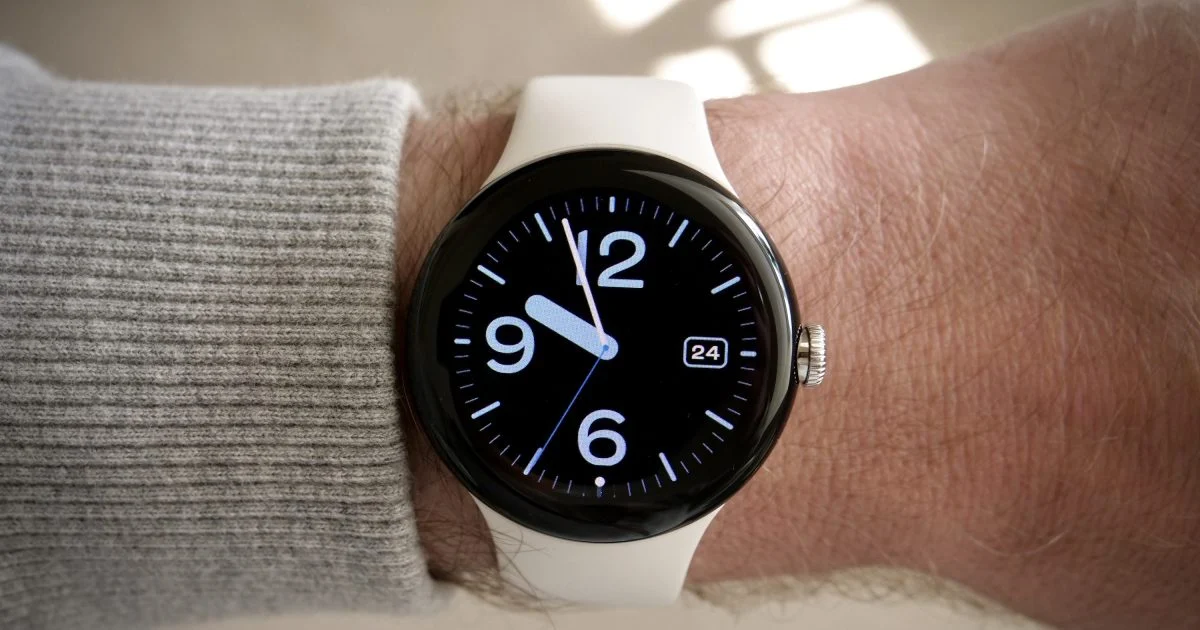
Wear OS 7.1: A Deeper Look at the Status Bar and What It Means for Smartwatch Users
The way we interact with our smartwatches is constantly evolving. For users of Wear OS devices, a significant upcoming change promises to make a fundamental piece of information more accessible than ever before: the time. With the introduction of a persistent status bar, Google is aiming to solve a common frustration and bring a more polished, intuitive experience to the Wear OS platform. This new feature, currently being tested in a canary build, is set to redefine how users stay informed at a glance, even when deep within an application.
This analysis will explore the implications of this new status bar, examining its design, functionality, and the potential impact it will have on the user experience for Wear OS smartwatch owners. We will also consider the technical aspects of its implementation and what it signifies for the future direction of Google’s smartwatch operating system.
Understanding the New Wear OS Status Bar
The core of the upcoming Wear OS 7.1 update, as indicated by early testing, is a status bar that remains visible at the top of the watch screen. This is a departure from previous designs where the status bar, including the clock, could be obscured by full-screen applications. The new bar is designed to be a constant companion, floating above whatever app is currently in use. This ensures that the time and essential status icons, such as battery level or connectivity indicators, are always within view.
Google’s intention is to create a uniform look and feel across all Wear OS devices and applications. The font, position, and background plate of the clock within the status bar will be consistent, contributing to a more cohesive and polished user interface. This uniformity is a key aspect of Google’s strategy to make Wear OS feel more integrated and professional, reducing the visual clutter and potential confusion that can arise from inconsistent app designs.
Design and Placement
The status bar will reside at the top edge of the watch face, a familiar location for users accustomed to smartphones. Its design aims for unobtrusiveness, ensuring it doesn’t detract from the primary function of the app being used. While it floats above apps, it is designed to be discreet. The visual elements, including the clock’s typeface and its placement, are standardized to provide a predictable and easily readable display.
Functionality and Adaptability
While the status bar is designed to be persistent, it also offers a degree of flexibility. Developers have the option to hide the status bar if an application truly requires every available pixel of screen real estate. This is particularly relevant for immersive experiences or apps that present information in a full-screen format. However, the system is designed to manage this intelligently. For instance, when a user begins scrolling through a list within an app, the status bar will automatically retract. It will then reappear a few seconds after the scrolling stops, striking a balance between constant visibility and screen optimization.
Similarly, certain UI elements that naturally occupy the full screen, such as alerts, steppers, or time and date pickers, will also cause the status bar to temporarily disappear. This ensures that these critical interactive components are not obstructed. Developers can also choose to hide the bar on specific immersive screens, giving them control over the user experience within their applications while still adhering to the general guidelines.
Technical Implementation and Developer Impact
The integration of this new status bar is tied to specific development frameworks and API levels. Apps built using Jetpack Compose for Wear OS will automatically adopt the new status bar behavior once they target API level 35 or higher and utilize Compose version 1.8.0-alpha02 or newer. This indicates a forward-looking approach by Google, encouraging developers to adopt modern development practices to benefit from platform enhancements.
When an app meets these criteria, the Wear OS system takes over the management of the clock display. This prevents conflicts, such as two different times appearing on the screen simultaneously, which could happen if an app also tried to display its own clock. By centralizing the clock display within the system-level status bar, Google ensures a single, authoritative source of time information.
Targeting API Levels and Jetpack Compose
The requirement to target API level 35 and use specific versions of Jetpack Compose highlights Google’s commitment to modernizing the Wear OS development ecosystem. API level 35 corresponds to Android 17, codenamed “CinnamonBun,” suggesting that this feature is part of a broader upcoming OS update. Jetpack Compose is Android’s modern toolkit for building native UI, and its adoption on Wear OS is crucial for enabling features like this new status bar.
Developers who are already using or planning to use Jetpack Compose for their Wear OS applications will find the transition smoother. The system handles the display and hiding of the status bar, reducing the burden on developers to manage this aspect of the UI. For apps that are not yet using Compose or are targeting older API levels, this change might necessitate updates to their codebase to fully benefit from the new status bar functionality.
Handling Immersive Screens and User Interaction
The system’s ability to automatically hide and show the status bar based on user interaction, like scrolling, is a key aspect of its intelligent design. This ensures that the user’s focus remains on the content they are interacting with, while still providing easy access to time information when needed. The two-second delay before the bar reappears after scrolling stops is a carefully considered timing that aims to be noticeable but not intrusive.
For developers, understanding these automatic behaviors is important. They can also explicitly control the visibility of the status bar for specific screens or components within their apps. This provides a balance between system-level automation and developer-defined control, allowing for optimized user experiences across a wide range of applications.
The User Experience: Benefits and Potential Drawbacks
The most immediate benefit of the new status bar is the constant availability of time information. For many smartwatch users, checking the time is a primary function, and having it readily accessible, even when using a demanding application, is a significant improvement. This can reduce the need to exit an app or perform extra gestures just to see the time, making the watch feel more efficient and less distracting.
Enhanced Accessibility and Convenience
Imagine you are using a navigation app on your watch, or perhaps a fitness tracker that displays detailed workout metrics. In previous versions of Wear OS, opening these apps might have hidden the clock. With the new status bar, you can glance at your wrist and instantly know the time without interrupting your current task. This is particularly useful for users who rely on their smartwatch for time-sensitive activities or simply prefer to have this information constantly visible.
The consistent placement and design also contribute to a more predictable user interface. Users will know exactly where to look for the time, regardless of the application they are using. This familiarity can reduce cognitive load and make the overall smartwatch experience feel more intuitive and less frustrating.
Potential for Screen Real Estate Concerns
While the status bar is designed to be unobtrusive, it does occupy a small portion of the screen. For very small watch faces or applications that already struggle with limited screen space, this could be a minor concern. However, Google’s approach of allowing developers to hide the bar in specific scenarios mitigates this potential issue. The key will be how effectively developers utilize these options to ensure that critical app content is never compromised.
Another consideration is the visual impact of a persistent element. While designed to be subtle, some users might prefer a completely minimalist display when fully immersed in an app. The ability for developers to hide the bar on immersive screens addresses this, but the default behavior is to keep it visible. This is a design choice that prioritizes information access, and its reception will likely depend on individual user preferences.
When Can You Expect This Update?
The new status bar feature is currently available in a Wear OS canary emulator, which is a build intended for early testing and feedback by developers. This emulator is labeled as Wear OS 7.1 and runs on Android 17. This indicates that the feature is likely to be part of an upcoming stable release of Wear OS 7.1.
However, Google often uses canary builds to gather data and refine features before a public rollout. Therefore, it is possible that the status bar might not appear in the very first stable release of Wear OS 7.1. Users might have to wait for a subsequent update to see this functionality on their wrists. This phased approach allows Google to ensure the feature is robust, bug-free, and well-received by the user community.
The Role of Canary Builds
Canary builds are a crucial part of the software development lifecycle. They allow developers to experiment with new features in a controlled environment and provide feedback to the development team. This early testing helps identify potential issues and usability problems before the software reaches a wider audience. For the Wear OS status bar, this means that while it’s functional in the emulator, it’s still subject to change based on testing and feedback.
Future Wear OS Releases
The presence of Wear OS 7.1 and Android 17 in the emulator strongly suggests that these versions are on the horizon. Updates to smartwatch operating systems often coincide with new hardware releases or are rolled out independently to existing devices. Given that Google is actively testing this feature, it’s reasonable to expect it to be a prominent part of a future Wear OS update, potentially within the next year. Users with compatible devices will likely receive this update over-the-air, similar to how other Wear OS updates are distributed.
Broader Implications for Wear OS
The introduction of a persistent status bar is more than just a minor UI tweak; it reflects Google’s ongoing efforts to mature the Wear OS platform and make it a more compelling competitor in the smartwatch market. By focusing on fundamental usability improvements, Google is signaling its commitment to refining the core experience for users.
Competition and Feature Parity
The smartwatch landscape is highly competitive, with Apple’s watchOS often setting the benchmark for user experience and feature integration. A persistent status bar, while seemingly simple, addresses a common point of friction that users might experience across different smartwatch platforms. By bringing this level of convenience to Wear OS, Google is working towards feature parity and aiming to offer an experience that is as seamless and intuitive as its competitors.
The Future of Wear OS Development
This move also underscores Google’s strategy of encouraging developers to adopt modern tools and practices. The reliance on Jetpack Compose and higher API levels for automatic integration suggests a push towards a more standardized and efficient development environment. This can lead to better-performing apps, more consistent user interfaces, and faster adoption of new platform features in the future. As Wear OS continues to evolve, expect more such improvements that leverage modern Android development frameworks.
Conclusion
The upcoming Wear OS 7.1 status bar represents a thoughtful evolution of the smartwatch user interface. By ensuring that the time and essential status indicators are always visible, Google is addressing a common user need and enhancing the overall convenience and efficiency of Wear OS devices. While the feature is still in its testing phase, its design and intended functionality point towards a more polished and user-friendly experience.
The technical implementation, tied to modern development practices like Jetpack Compose and higher API levels, signals Google’s commitment to modernizing the Wear OS platform. This not only benefits users through improved usability but also encourages developers to build better, more integrated applications. As Wear OS continues to mature, features like this persistent status bar demonstrate Google’s dedication to refining the core smartwatch experience, making it a more compelling choice for consumers. The ability for developers to manage its visibility in specific scenarios ensures a balance between constant information access and optimized screen real estate, promising a well-rounded user experience for the future of Wear OS.

Conversation
0 Comments