

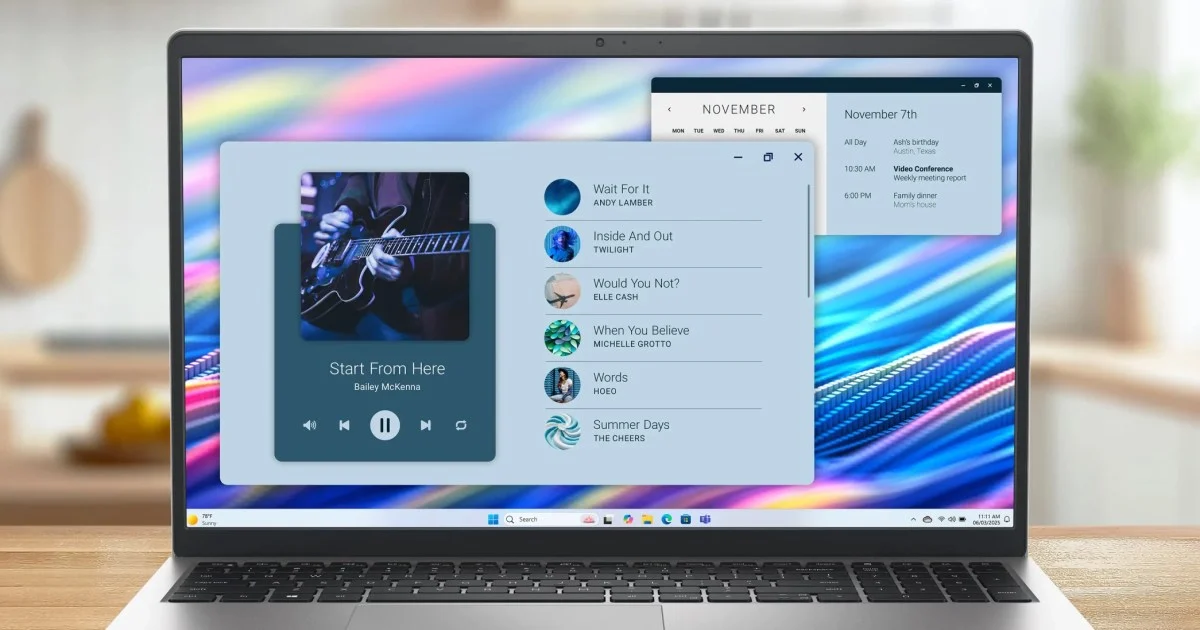
Your First Laptop: Essential Features Without the High Price Tag
Buying your first laptop can feel overwhelming, especially with so many options available and prices that can quickly climb. Many people don’t need the latest high-end processors or fancy graphics cards for their daily tasks. They simply want a reliable machine that can browse the web, stream videos, and handle schoolwork or basic office tasks without slowing down. For a long time, finding a budget-friendly laptop that met these needs without feeling sluggish or cheaply made was a challenge. However, the market has evolved, and it’s now possible to find a capable and durable laptop without spending a fortune. This guide will help you understand the key features to look for in a first laptop, focusing on practicality and value.
Durability and Security for Everyday Use
When considering a laptop for everyday use, especially for a first-time buyer, durability is a major concern. Laptops often face bumps, drops, and general wear and tear from being carried around. Many budget laptops are not built to withstand this kind of daily abuse, leading to issues like loose hinges or cracked casings.
Look for laptops that have undergone rigorous testing. For instance, some manufacturers subject their machines to tests that simulate real-world conditions, such as drops, vibrations, and extreme temperatures. These tests, often based on military standards like MIL-STD-810H, provide a good indication of a laptop’s ability to handle rougher handling. This kind of testing offers peace of mind, assuring you that your investment can survive the rigors of being transported in a backpack or used in various environments.
Security is another critical aspect, especially if you plan to use your laptop for sensitive tasks like online banking or storing personal information. A hardware Trusted Platform Module (TPM) chip is a valuable feature. This chip securely stores encryption keys and other sensitive data separately from the main system. By isolating this information, a TPM makes it much harder for unauthorized individuals or malicious software to access your encrypted files and login credentials, providing a strong layer of security right from the start.
Smart Cooling for Comfortable Use
Older or cheaper laptops often become uncomfortable to use after extended periods, particularly when placed on a lap or soft surfaces like a bed. When the cooling vents get blocked, the fans can become loud, the underside can feel uncomfortably hot, and the system’s performance can suffer significantly. This throttling can turn simple tasks like browsing the web or typing a document into a frustrating experience.
Modern laptops are increasingly incorporating smarter thermal management systems. These systems often use built-in sensors to detect where the laptop is resting. For example, when placed on a flat desk, the laptop can optimize its airflow and power settings to maintain consistent performance, which is ideal for demanding tasks like multitasking or streaming high-definition video.
When you move the laptop to your lap, the system can automatically adjust its power limits and fan speeds. This adjustment helps keep the bottom of the laptop cool to the touch and reduces fan noise to a near-silent level, making it much more comfortable for casual use. Laptops powered by processors like the Intel Core 3 and running operating systems like Windows 11 are designed to offer responsive performance for these everyday activities, ensuring that applications launch quickly and multitasking remains smooth across various apps and browser tabs.
Thoughtful Hardware Design and Fast Charging
The physical design of a laptop plays a significant role in how comfortable and productive you can be while using it for hours on end. A good display is essential, and a 15.3-inch Full High-Definition screen with slim bezels offers a generous viewing area. This wider display is particularly useful for multitasking, allowing you to comfortably view two windows side by side, whether you’re referencing research materials while writing an essay or comparing financial statements.
The keyboard is another key component. An ergonomic keyboard with a full numeric keypad on the right side can be a huge advantage, especially for tasks involving a lot of number entry, such as managing budgets, accounting, or data input. Many smaller or more budget-oriented laptops omit the numeric keypad to save space, but its inclusion on a larger model adds significant convenience and saves valuable time.
Battery life is always a concern, but the charging technology can make a big difference. Features like ExpressCharge are designed to alleviate the stress of a dead battery. This technology allows the laptop to charge rapidly, often reaching about 80% capacity in just an hour. This means that even if you forget to plug in your laptop overnight, a short break for a coffee can provide enough power to get you through several hours of work or study, reducing the need to be constantly tethered to a power outlet.
User Satisfaction and Eco-Conscious Manufacturing
While technical specifications are important, the real-world experience of users provides valuable insight into a laptop’s performance and reliability. Many budget laptops, despite their specs, can feel disappointing once put to daily use. However, some models have quietly built a strong reputation based on positive customer feedback.
Looking at verified customer reviews can be very helpful. A high star rating, coupled with numerous positive comments about aspects like balanced performance, smooth multitasking, quick startup times, and clear displays, can make a product easier to trust, especially when you’re making your first computer purchase.
Sustainability is also becoming an increasingly important factor for consumers. It’s encouraging to see budget laptops paying attention to their environmental impact. Manufacturers are incorporating recycled materials, such as post-consumer plastics, into their designs. Certifications like ENERGY STAR indicate energy efficiency, while EPEAT registration highlights eco-friendly manufacturing practices. Even the packaging is being considered, with fully renewable, plant-based materials that can be easily recycled after unboxing. These eco-conscious efforts contribute to a more responsible purchasing decision.
Choosing Between Different Screen Sizes
When selecting your first laptop, the size of the screen and the overall portability of the device are key considerations that often depend on your lifestyle. A larger screen, like the 15.3-inch display found on some models, is excellent for tasks that benefit from more screen real estate, such as extensive multitasking, detailed work, or simply enjoying media content. These larger laptops often come with a full-sized keyboard, including a dedicated numeric keypad, which is highly beneficial for productivity tasks involving numbers. They are well-suited for use at a desk, whether at home, in a dorm room, or a stationary office setup.
On the other hand, if your daily routine involves frequent travel, moving between classes, working in coffee shops, or simply preferring a lighter load, a more compact laptop might be a better fit. A 14-inch model, for example, offers a smaller footprint, making it easier to carry in a slim messenger bag or backpack. While these smaller laptops may have a more compact keyboard layout without a dedicated numeric keypad, they excel in portability and are designed for everyday productivity on the go. The choice between a larger and smaller model ultimately comes down to balancing the need for screen space and specific features against the desire for greater mobility.
Here’s a comparison to help illustrate the differences:
| Feature | Larger Screen Laptop (e.g., Dell 15) | Smaller Screen Laptop (e.g., Dell 14) |
|---|---|---|
| Primary Use Case | Multitasking, data entry, home or dorm desk use | Everyday productivity, studying, commuting, travel |
| Display Size | 15.3-inch Full HD with narrow borders | 14-inch FHD+ display with a 16:10 aspect ratio |
| Keyboard Layout | Full-sized ergonomic layout with a dedicated 10-key numeric pad | Compact keyboard layout without a dedicated numeric keypad |
| Durability & Security | Tested for durability (e.g., 15 MIL-STD-810H tests) and includes a hardware TPM chip | Designed for portability with TPM-based security support |
| Charging | Features fast charging technology (e.g., ExpressCharge up to 80% in 60 mins) | Supports USB-C charging with a compatible power adapter |
The Practical Choice for Your First Laptop
Purchasing your first computer should not be a complicated or expensive ordeal. You need a machine that reliably handles your daily tasks, keeps your personal information secure, and can withstand the demands of being carried around. By looking past the marketing buzzwords and focusing on practical features, you can find a setup that truly meets your needs without overspending.
Ultimately, a laptop like the Dell 15 stands out because it prioritizes real-world usefulness. It combines robust build quality, intelligent cooling systems that ensure comfort during use, and practical additions like a numeric keypad. These elements demonstrate that you can acquire a dependable machine without paying a premium price. Focusing on these core aspects ensures you get a laptop that serves you well for years to come.

Conversation
0 Comments